Battery models & part numbers
| Reference / P/N |
|---|
| 3UR18650A2TBO27A |
| G71C000BR510 |
| G71C000BS110 |
| G71C000BS610 |
| P000541010 |
| P000542440 |
| P000551720 |
| P000552150 |
| P000614700 |
| P000614710 |
| P71C000BS5AA |
| P71C000BS6AA |
| PA3905U-1BRS |
| PABAS245 |
| PABAS246 |
| Toshiba-PA3904U-1BRS-48Wh |
Compatible laptop models
| Model |
|---|
| Toshiba Satellite Pro R850 |
| Toshiba Satellite Pro R950 |
| Toshiba Satellite R850 |
| Toshiba Tecra R850 |
| Toshiba Tecra R950 |
Introduction
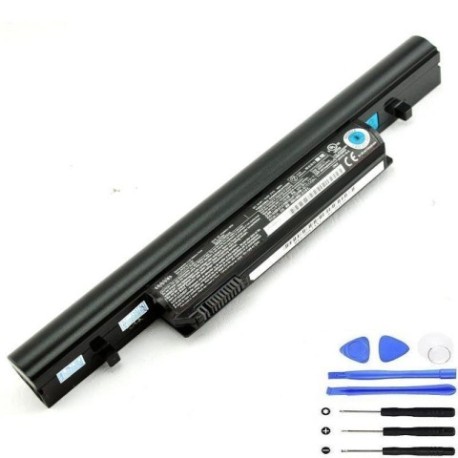
Keep your Toshiba laptop running at peak performance with our authorised replacement battery. This 48Wh power solution is designed specifically for your Toshiba Satellite Pro, Satellite, and Tecra models.
Common signs you need a replacement
| Symptom | Cause | Verification | Recommendation |
|---|---|---|---|
| Battery won’t hold charge | Ageing cells | Check power settings | Replace battery |
| Laptop shuts down unexpectedly | Power delivery issues | Monitor battery health | Install new battery |
| Battery swelling or overheating | Internal damage | Visual inspection | Immediate replacement |
| Reduced usage time | Capacity degradation | Time remaining test | Upgrade battery |
How to check compatibility
Verify your laptop model matches our compatibility list above. Check your current battery’s part number against our reference table. For Australian and New Zealand customers, ensure you’re purchasing from authorised suppliers for warranty protection.
When to replace
Replace your battery when it holds less than 50% of its original capacity, shows physical damage, or causes system instability. Most Toshiba batteries last 2-3 years with regular use.
Installation guide (overview)
Power down your laptop and disconnect from mains. Remove the old battery by releasing the locking mechanism. Align the new battery with the connectors and secure in place. Charge fully before first use.
Usage & care tips
Avoid extreme temperatures (operate between 10°C and 35°C). Don’t leave your laptop plugged in constantly. Calibrate your battery monthly by fully discharging and recharging. Store in cool, dry conditions when not in use.
Safety & recycling in AU/NZ
Never attempt to open or modify the battery. Dispose of old batteries at authorised recycling centres across Australia and New Zealand. Many electronics retailers offer free battery recycling services.
FAQ
How long does delivery take in Australia?
Most metropolitan areas receive orders within 3-5 business days.
Is this battery covered by warranty?
Yes, all our batteries come with a 12-month warranty for Australian and New Zealand customers.
Can I use this battery with newer Toshiba models?
No, this battery is specifically designed for the compatible models listed above.
What’s the battery capacity?
This is a 48Wh lithium-ion battery providing reliable power for your Toshiba laptop.
How do I maximise battery life?
Avoid complete discharges, keep your laptop cool, and use power-saving settings when possible.
Is installation difficult?
Most users can install the battery in under 5 minutes following our simple guide.
Do you ship to New Zealand?
Yes, we ship to both Australia and New Zealand with competitive rates.