Asus B41N1532 50Wh Battery Replacement Guide
If your Asus laptop is struggling to hold a charge or showing battery warning signs, our comprehensive guide helps you find the right replacement battery and install it safely. We cover compatible models, installation steps, and essential care tips for Australian and New Zealand users.
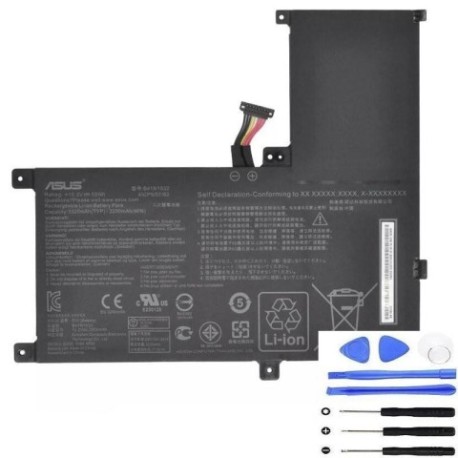
Battery models & part numbers
| Reference / P/N |
|---|
| 0B200-02010100 |
| Asus-B41N1532-50Wh |
Compatible models
| Model |
|---|
| Asus Q504U |
| Asus Q504UA |
| Asus Q534UA |
| Asus Zenbook Flip UX560 |
| Asus Zenbook Flip UX560UA |
Introduction
Laptop batteries naturally degrade over time, typically lasting 2-4 years with regular use. The Asus B41N1532 50Wh battery is a high-quality replacement designed specifically for several Asus laptop models popular in Australia and New Zealand. Understanding when to replace your battery and choosing the correct compatible model ensures your device maintains optimal performance.
Common signs you need a replacement
| Symptom | Cause | Verification | Recommendation |
|---|---|---|---|
| Rapid battery drain | Reduced capacity from chemical aging | Check battery health in Windows settings | Replace if capacity below 60% |
| Laptop shuts down unexpectedly | Battery can’t maintain stable voltage | Monitor shutdowns at specific charge levels | Immediate replacement needed |
| Battery won’t charge fully | Charging circuit or cell failure | Check if stuck at same percentage | Replace battery and test charger |
| Physical swelling or bulging | Gas buildup from cell degradation | Visual inspection of battery compartment | Stop using immediately and replace |
| Overheating during charging | Internal resistance increase | Monitor temperature with software | Replace if consistently hot |
How to check compatibility
Finding your exact laptop model is crucial for battery compatibility. For Asus devices, check the bottom casing for a sticker showing the model number. On Q504 and Q534 series, this is typically near the battery compartment. Zenbook Flip UX560 models show the number on the bottom centre. You can also check in Windows System Information under “System Model”. Always cross-reference with our compatibility tables above and verify the physical connector matches before purchasing.
When to replace
Replace your Asus battery when it shows significant capacity loss (below 60% of original), physical damage, swelling, or consistent charging issues. Most Asus batteries last 300-500 charge cycles before noticeable degradation. If your laptop is 2+ years old and battery life has substantially decreased, replacement will restore performance. Don’t wait until complete failure – proactive replacement prevents data loss and inconvenience.
Installation guide
Replacing your Asus battery requires careful handling. First, power down completely and disconnect the charger. For Q504/Q534 models, remove the bottom panel screws (usually Phillips #00) and gently lift the panel. Disconnect the battery connector by pulling straight out – never twist. Remove any securing screws and lift the battery out. For Zenbook Flip UX560, the process is similar but may require removing additional clips. Install the new B41N1532 battery in reverse order, ensuring the connector clicks firmly into place. Test before reassembling completely.
Usage & care tips
Maximise your new Asus battery’s lifespan with proper care. Avoid frequent full discharges – lithium-ion batteries prefer partial cycles. Keep your laptop between 15°C and 25°C for optimal performance. If storing long-term, charge to 50-60% and store in a cool, dry place. Calibrate your battery monthly by charging to 100%, then discharging to 5% before recharging. Use genuine Asus chargers to ensure proper voltage regulation and avoid third-party chargers that may damage the battery.
Safety & recycling in AU/NZ
Battery safety is paramount in Australia and New Zealand. Never puncture, crush, or expose lithium-ion batteries to high heat. If your battery swells, stop using immediately and contact professional disposal services. In Australia, use Batteryback or council e-waste programs. In New Zealand, check with local council transfer stations or specialised e-waste recyclers. Both countries have strict regulations against landfill disposal of lithium batteries due to fire risk and environmental concerns.
FAQ
How long does the Asus B41N1532 battery last?
The B41N1532 typically provides 4-6 hours of normal use depending on your laptop model and usage patterns. With power-saving settings and moderate use, some users report up to 7 hours.
Is this battery compatible with my Asus Q504UA bought in Australia?
Yes, the B41N1532 is specifically designed for Australian and New Zealand market Asus laptops including the Q504UA. The voltage and connector are identical to your original battery.
Can I replace the battery myself or should I go to a service centre?
Most users can safely replace their Asus battery with basic tools and careful following of instructions. However, if you’re uncomfortable with electronics, authorised Asus service centres throughout AU/NZ can perform the replacement.
How do I know if my battery is genuine?
Genuine Asus batteries have proper branding, correct model numbers, and come in official packaging. Purchase from authorised retailers and verify serial numbers through Asus’s online verification system when possible.
Will replacing the battery void my warranty?
If your laptop is still under manufacturer warranty, check Asus’s terms. Self-replacement may void warranty, while authorised service centre installation typically preserves coverage.
What should I do with my old Asus battery?
Never dispose of lithium batteries in household waste. Use council e-waste services, battery recycling programs at electronics retailers, or dedicated battery recycling facilities available throughout Australia and New Zealand.
How can I maximise my new battery’s lifespan?
Avoid extreme temperatures, don’t leave your laptop plugged in constantly at 100%, perform monthly calibration cycles, and use power-saving modes when on battery to extend overall lifespan.