ASUS C12N1604 32Wh Battery Replacement Guide for Australian & New Zealand Users
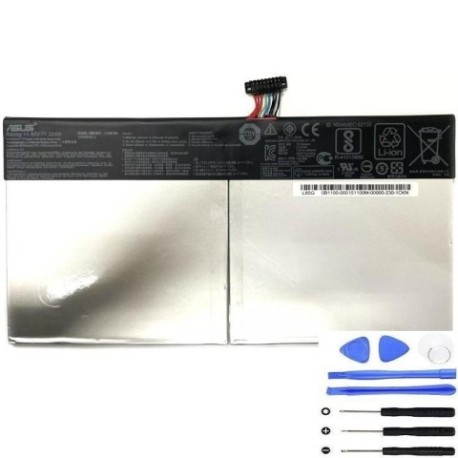
If you’re experiencing battery issues with your ASUS Transformer Book or Mini, you’ve come to the right place. This comprehensive guide covers everything Australian and New Zealand users need to know about replacing their laptop battery with the genuine ASUS C12N1604 32Wh model.
Battery models & part numbers
| Reference / P/N |
|---|
| 0B200-02120000 |
| 0B200-02120100 |
| Asus-C12N1604-32Wh |
| C12PnJH |
Compatible models
| Model |
|---|
| Asus Transformer Book T101HA |
| Asus Transformer Mini (T103HA) |
| Asus Transformer Mini (T103HAF) |
Introduction
The ASUS Transformer series represents some of the most innovative 2-in-1 devices available in the Australian and New Zealand markets. These versatile machines combine tablet convenience with laptop functionality, but like all portable electronics, their batteries degrade over time. The C12N1604 32Wh battery is the authorised replacement that ensures your device continues to perform at its best.
Common signs you need a replacement
| Symptom | Cause | Verification | Recommendation |
|---|---|---|---|
| Rapid battery drain | Reduced capacity from age/cycles | Check battery health in Windows | Consider replacement if below 60% |
| Swollen battery case | Chemical degradation | Visual inspection | Replace immediately – safety risk |
| Random shutdowns | Voltage instability | Monitor shutdown patterns | Replace to restore reliability |
| Not charging fully | Battery management system failure | Check charging indicator | Replace to regain full capacity |
| Overheating during use | Internal resistance increase | Monitor temperature | Replace to prevent damage |
How to check compatibility
Before purchasing any replacement battery for your ASUS device, it’s crucial to verify compatibility. For ASUS Transformer models, you can find the exact model number on the bottom casing or in the system information. Open Windows Settings > System > About to see your device specifications. The C12N1604 battery is specifically designed for the Transformer Book T101HA and Transformer Mini T103HA/T103HAF models. You can also use ASUS’s official support website by entering your serial number to confirm compatible parts. Many Australian computer repair centres can verify compatibility if you’re uncertain.
When to replace
Most lithium-ion batteries, including the C12N1604, have a typical lifespan of 2-3 years with regular use. However, several factors influence replacement timing. If your battery health shows less than 60% of original capacity in Windows battery reports, replacement is recommended. Swelling or physical deformation requires immediate replacement due to safety concerns. Performance issues like sudden shutdowns at 20-30% charge indicate the battery can no longer maintain stable voltage. For Australian users, consider replacement before summer heat accelerates degradation, as high temperatures above 35°C significantly reduce battery lifespan.
Installation guide
Replacing the battery in ASUS Transformer devices requires careful attention to detail. Begin by powering off the device completely and disconnecting all cables. Use a plastic spudger or guitar pick to carefully separate the back cover, starting from the edges. The Transformer series uses clips rather than screws for the back cover, so apply even pressure around the perimeter. Once inside, locate the battery connector – it’s typically near the centre of the device. Gently disconnect the battery cable by pulling the connector straight up, not by pulling the wires. Remove any adhesive securing the battery and lift it out carefully. Install the new C12N1604 battery, reconnect the cable, and test before reassembling. Many Australian repair shops offer professional installation if you’re uncomfortable with DIY.
Usage & care tips
To maximise your new battery’s lifespan in Australia’s variable climate, avoid exposing your device to temperatures above 35°C or below 0°C. Ideal operating temperature is 15-25°C. For daily use, try to keep battery levels between 20-80% rather than constantly charging to 100%. If storing your device for extended periods, charge it to around 50% and store in a cool, dry place. Australian summers can be particularly harsh on batteries, so never leave your device in direct sunlight or in a hot car. Use only ASUS-authorised chargers, as incompatible chargers can damage the battery management system.
Safety & recycling in AU/NZ
Battery safety is paramount in Australia and New Zealand. Never attempt to open or puncture a lithium-ion battery, as this can cause thermal runaway and fire. If you notice swelling, immediately power off the device and discontinue use. For recycling, both countries have established battery recycling programmes. In Australia, you can drop off old batteries at any Battery World, Officeworks, or through council e-waste collections. In New Zealand, the Recycle Mate app helps locate your nearest battery recycling facility. Never dispose of lithium batteries in household waste due to fire risk at recycling centres.
FAQ
How long does the C12N1604 battery typically last?
With normal use, expect 2-3 years before significant capacity loss. Heavy users may need replacement sooner.
Can I use a higher capacity battery in my ASUS Transformer?
No, the device is designed for 32Wh capacity. Using different specifications may cause compatibility issues or damage.
Is professional installation recommended?
For users in Australia and New Zealand, professional installation is recommended if you’re unfamiliar with electronics repair, as improper installation can damage other components.
How do I check my current battery health?
In Windows, open Command Prompt as administrator and type “powercfg /batteryreport” to generate a detailed battery health report.
Are there any Australian warranty considerations?
Australian Consumer Law provides protections regardless of manufacturer warranty. Keep your receipt and ensure the supplier provides Australian consumer guarantee compliance.
Can I replace the battery myself without voiding warranty?
This depends on your device’s age and remaining warranty period. Check ASUS’s current policy, as some warranties may be voided by unauthorised repairs.
What’s the typical cost for professional installation in AU/NZ?
Expect to pay $50-100 AUD/NZD for professional battery replacement service at authorised computer repair centres.
Replacing your ASUS Transformer’s battery with the genuine C12N1604 32Wh model will restore your device’s portability and reliability. Whether you’re a student, professional, or casual user across Australia or New Zealand, proper battery maintenance ensures your investment continues to serve you well for years to come.