Battery models & part numbers
| Reference / P/N |
|---|
| Asus-C41N1533-52Wh |
Compatible models
| Model |
|---|
| Asus 0B200-02010200 |
| Asus 0B200-02010300 |
| Asus C41PlC1 |
| Asus Zenbook Flip Q524U Q534U Q534UX |
| Asus Zenbook Flip UX560UQ |
| Asus Zenfone Flip UX560UX |
Introduction
If your ASUS laptop is showing signs of battery fatigue, this comprehensive guide covers everything Australian and New Zealand users need to know about the C41N1533 52Wh replacement battery.
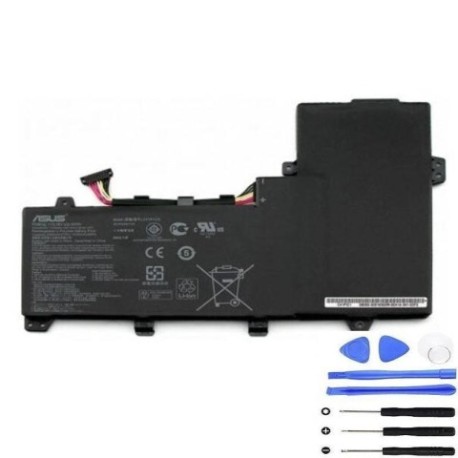
Common signs you need a replacement
| Symptoms | Causes | Verification | Recommendation |
|---|---|---|---|
| Battery drains quickly (under 2 hours) | Ageing lithium cells, normal wear | Check battery health in Windows Power Report | Replace if capacity below 60% |
| Laptop shuts down unexpectedly | Voltage drops under load | Monitor during intensive tasks | Immediate replacement needed |
| Battery won’t charge past 80% | Protection circuit activation | Check charging cycles in BIOS | Replace to restore full capacity |
| Laptop bulging or uneven surface | Battery swelling | Visual inspection, place on flat surface | Stop using immediately – safety hazard |
How to check compatibility
For ASUS Zenbook Flip models, locate the model number on the bottom label or in System Information (type msinfo32 in Windows search). The C41N1533 battery specifically fits the Q524U, Q534U, Q534UX, UX560UQ, and UX560UX variants. You can also verify compatibility using ASUS’s official support centre website by entering your serial number.
When to replace
Replace your ASUS battery when it holds less than 50% of its original capacity, shows physical damage, or causes system instability. Most ASUS laptop batteries last 2-3 years with regular use before needing replacement.
Installation guide
For ASUS Zenbook Flip models: power down completely, remove all cables, flip the laptop over, and unscrew the bottom panel (typically 10-12 Phillips head screws). Carefully disconnect the battery connector from the motherboard, remove the old battery, and install the new C41N1533 unit. Reconnect and reassemble in reverse order.
Usage & care tips
Keep your ASUS battery between 20-80% charge for daily use, avoid extreme temperatures (ideal range 15-25°C), and perform full discharge cycles monthly to calibrate the battery meter. Store in cool, dry conditions if not using for extended periods.
Safety & recycling in AU/NZ
In Australia and New Zealand, lithium batteries must be recycled through authorised collection points – never dispose in household waste. Major retailers like Officeworks and Battery World offer free battery recycling services. Damaged or swollen batteries should be handled with care and taken to specialised recycling centres.
FAQ
How long does the C41N1533 battery last?
Typically 3-5 hours depending on usage and laptop model settings.
Is this battery compatible with newer ASUS models?
No, it’s specifically designed for the listed Zenbook Flip series.
Does it come with warranty in Australia?
Yes, most suppliers offer 12-month warranty for Australian consumers.
Can I install it myself?
Yes, with basic technical skills and proper tools, though professional installation is recommended.
How do I dispose of my old battery?
Take it to any authorised battery recycling centre in your area.
Will this improve my laptop’s performance?
It will restore original battery life but won’t improve processing performance.
Is overnight charging safe?
Modern ASUS laptops have protection circuits, but occasional overnight charging is preferable to daily practice.