ASUS C41N1715 50Wh Laptop Battery Replacement
Keep your ASUS ZenBook 13 running at peak performance with our genuine replacement battery. Perfect for Australian and New Zealand users seeking reliable power solutions.
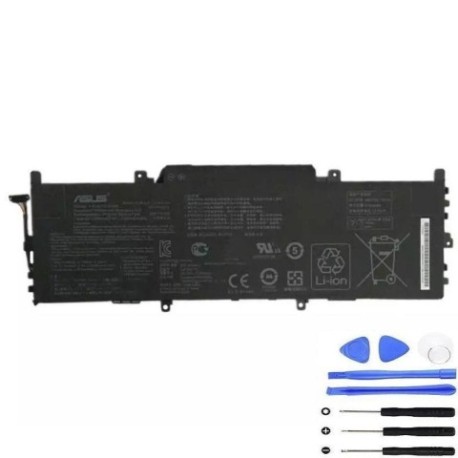
Battery models & part numbers
| Reference / P/N |
|---|
| 0B200-02760000 |
| Asus-C41N1715-50Wh |
| C41PKC5 |
Compatible models
| Model |
|---|
| Asus ZenBook 13 UX331FA |
| Asus ZenBook 13 UX331FN |
| Asus ZenBook 13 UX331UA |
| Asus ZenBook 13 UX331UN |
| Asus ZenBook UX331FN |
| Asus ZenBook UX331UA |
| Asus ZenBook UX331UN |
Introduction
The ASUS C41N1715 50Wh battery is designed specifically for ZenBook 13 UX331 series laptops, providing reliable power for work, study, and entertainment across Australia and New Zealand.
Common signs you need a replacement
| Symptoms | Causes | Verification | Recommendation |
|---|---|---|---|
| Battery drains quickly (under 2 hours) | Ageing cells, frequent charging cycles | Check battery health in Windows settings | Replace if capacity below 60% |
| Laptop won’t hold charge | Failed battery cells, internal damage | Test with different power adapters | Immediate replacement needed |
| Battery swelling or overheating | Chemical degradation, safety hazard | Visual inspection, temperature check | Stop using immediately and replace |
| Inconsistent charging behaviour | Battery management system failure | Monitor charging patterns | Replace to prevent damage |
How to check compatibility
To ensure this battery fits your ASUS laptop:
- Find your model number: Check the bottom label of your laptop or go to Settings > System > About in Windows
- Verify part numbers: Compare with the reference numbers listed above
- Use ASUS support: Visit the official ASUS support website and enter your serial number
- Physical inspection: Remove current battery and check dimensions (typically 210mm × 60mm × 4mm)
When to replace
Replace your ASUS battery when: battery life drops below 2 hours, you notice swelling, charging becomes unreliable, or the battery is over 2-3 years old with heavy usage.
Installation guide
- Power off laptop and disconnect all cables
- Flip laptop over and remove the bottom cover screws
- Carefully lift the bottom cover using a plastic tool
- Disconnect the battery connector from motherboard
- Remove battery mounting screws
- Install new C41N1715 battery and reconnect
- Replace cover and power on to test
Usage & care tips
- Avoid extreme temperatures (ideal range 15-25°C)
- Don’t leave laptop plugged in constantly
- Perform partial discharges rather than full cycles
- Store with 40-60% charge if not using for extended periods
- Use only ASUS-authorised chargers
Safety & recycling in AU/NZ
In Australia and New Zealand, laptop batteries must be recycled properly. Do not dispose in household waste. Take used batteries to authorised collection centres like Officeworks, Battery World, or local council recycling facilities. Damaged or swollen batteries should be handled with care and recycled immediately.
FAQ
How long does this battery last?
The C41N1715 typically provides 4-6 hours of normal usage, depending on screen brightness and applications running.
Is this compatible with my ZenBook 13 UX331?
Yes, this battery is specifically designed for all UX331 series models listed above.
Do you offer warranty in Australia?
Yes, we provide 12 months warranty with Australian consumer law protection.
How do I know if my battery is genuine?
Genuine ASUS batteries have proper labelling, correct weight (approx. 220g), and come in official packaging.
Can I install this myself?
Yes, with basic technical skills and proper tools. Follow our installation guide or seek professional help.
What’s the delivery time in NZ?
Typically 5-7 business days to major New Zealand centres.
Is overnight charging safe?
Modern laptops have protection circuits, but occasional overnight charging is fine. Avoid making it a regular habit.