Battery models & part numbers
| Reference / P/N |
|---|
| Asus-C41N1727-55Wh |
Compatible models
| Model |
|---|
| Asus 0B200-02900000 |
| Asus C41PlJH |
| Asus ROG Zephyrus M GM501G |
| Asus ROG Zephyrus M GM501GM |
| Asus ROG Zephyrus M GM501GS |
| Asus Zephyrus M GM501G |
| Asus Zephyrus M GM501GM |
| Asus Zephyrus M GM501GS |
| Asus Zephyrus M GU501GM |
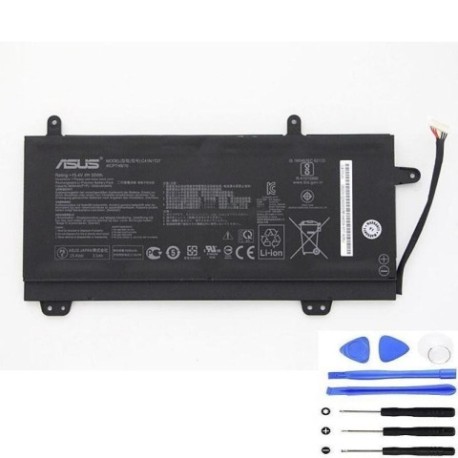
Introduction
Keep your Asus ROG Zephyrus M gaming laptop performing at its best with a genuine replacement battery. The Asus C41N1727 55Wh battery is specifically designed for your high-performance gaming machine.
Common signs you need a replacement
| Symptoms | Causes | Verification | Recommendation |
|---|---|---|---|
| Battery drains quickly during gaming | High power draw from GPU/CPU | Check battery health in Windows | Replace if capacity below 60% |
| Laptop shuts down unexpectedly | Battery can’t maintain voltage | Monitor battery voltage drops | Immediate replacement needed |
| Battery won’t charge past 80% | Battery protection circuit | Check charging cycles count | Replace if over 500 cycles |
| Laptop bulging at bottom | Battery swelling | Visual inspection | Stop using immediately |
How to check compatibility
Find your Asus model number on the bottom sticker or in System Information (type msinfo32 in Windows search). For ROG Zephyrus M models, ensure exact model match as gaming laptops have specific power requirements. Use Asus official support site with your serial number for verification.
When to replace
Replace your battery when runtime drops below 1 hour during normal use, charging cycles exceed 500, or physical damage/swelling occurs. Gaming laptops like the Zephyrus M typically need replacement every 18-24 months with heavy use.
Installation guide
Power off and unplug your Zephyrus M. Remove the 10 Phillips screws from the bottom case. Carefully pry the bottom cover starting from the rear vents. Disconnect the battery connector from motherboard. Remove 4 screws securing the battery. Install new battery and reconnect. Gaming laptops require careful handling of internal components.
Usage & care tips
Avoid deep discharges – recharge at 20-30% remaining. Don’t leave plugged in constantly. Store at 15-25°C. For gaming sessions, consider using AC power to preserve battery cycles. Calibrate monthly by fully charging then discharging to 5%.
Safety & recycling in AU/NZ
Dispose of old batteries at authorised recycling centres. In Australia, use Batteryback or council e-waste services. In New Zealand, take to designated transfer stations. Never dispose in household waste due to fire risk.
FAQ
Will this battery work with my ROG Zephyrus M GM501GM?
Yes, this battery is specifically compatible with GM501GM and other listed models.
How long does delivery take in Australia?
Typically 3-7 business days depending on your location.
Is this an original Asus battery?
This is a high-quality replacement meeting original specifications.
Can I install it myself?
Yes, with basic technical skills and proper tools. Follow our installation guide carefully.
What warranty is provided?
12-month warranty covering manufacturing defects.
Will it affect my laptop’s gaming performance?
No, it maintains the same 55Wh capacity as original for optimal gaming sessions.
How do I recycle my old battery in NZ?
Take to any authorised e-waste recycling centre – most are free for household quantities.