Asus C42N1846 62Wh Laptop Battery Replacement
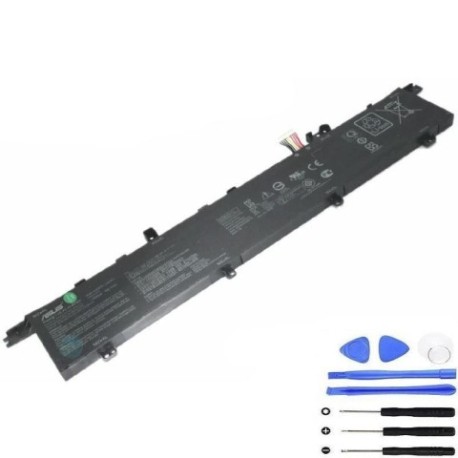
Battery models & part numbers
| Reference / P/N |
|---|
| Asus-C42N1846-62Wh |
Compatible laptop models
| Model |
|---|
| Asus B200-03490000 |
| Asus UX581 |
| Asus UX581G |
| Asus UX581GV |
| Asus UX581LV |
Introduction
Keep your Asus laptop running at peak performance with our genuine replacement battery. The Asus C42N1846 62Wh battery is specifically designed for compatibility with multiple Asus laptop models, ensuring reliable power delivery and extended usage time.
Common signs you need a replacement
| Symptoms | Causes | Verification | Recommendation |
|---|---|---|---|
| Battery drains quickly | Ageing battery cells | Check battery health in system settings | Consider replacement if under 50% capacity |
| Laptop won’t hold charge | Failed battery components | Test with power adapter disconnected | Immediate replacement needed |
| Battery swelling | Internal chemical breakdown | Visual inspection of battery case | Replace immediately for safety |
| Overheating during use | Inefficient power delivery | Monitor temperature during charging | Replace to prevent damage |
How to check compatibility
Verify your laptop model matches one of the compatible models listed above. Check your laptop’s bottom label or system information for the exact model number. Cross-reference with our compatibility table to ensure perfect fit and performance.
When to replace
Replace your battery when it no longer holds sufficient charge for your needs, shows physical damage or swelling, or if your laptop unexpectedly shuts down even with charge indicated. Most laptop batteries need replacement after 2-3 years of regular use.
Installation guide (overview)
Power off your laptop and disconnect all cables. Remove the bottom panel using appropriate screwdrivers. Carefully disconnect the old battery connector and remove any mounting screws. Install the new battery, reconnect the connector, and reassemble your laptop. Always refer to your laptop’s service manual for detailed instructions.
Usage & care tips
Avoid extreme temperatures – store and use between 10°C and 35°C. Calibrate your new battery by fully charging and discharging it once every few months. Don’t leave your laptop plugged in constantly – occasional discharge cycles help maintain battery health. Store in a cool, dry place when not in use.
Safety & recycling in AU/NZ
Never attempt to open or modify the battery casing. Dispose of old batteries responsibly through authorised e-waste recycling centres. In Australia and New Zealand, many electronics retailers offer free battery recycling services. Never dispose of lithium-ion batteries in household waste.
FAQ
How long does this battery last on a full charge?
The 62Wh capacity typically provides 4-6 hours of normal usage, depending on your laptop model and usage patterns.
Is this battery genuine Asus?
Yes, this is a genuine Asus replacement battery with part number C42N1846, ensuring perfect compatibility and performance.
What’s the warranty period?
This battery comes with a standard 12-month warranty covering manufacturing defects.
How do I know if my laptop model is compatible?
Check the bottom label of your laptop for the exact model number and compare it with our compatibility table above.
Can I install this battery myself?
Yes, with basic technical skills and proper tools. However, if unsure, we recommend seeking professional installation.
How should I store my old battery?
Store in a cool, dry place and take to an authorised recycling centre as soon as possible.
What if the battery doesn’t fit my laptop?
Double-check your laptop model number. If there’s a compatibility issue, contact our customer service for assistance.