HP CM03XL 50Wh Laptop Battery Replacement
Find the perfect replacement battery for your HP laptop with our comprehensive compatibility guide. This high-quality 50Wh battery delivers reliable performance and extended runtime for your business or personal computing needs.
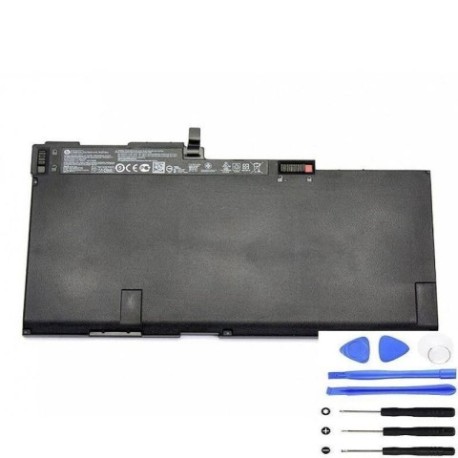
Battery models & part numbers
| Reference / P/N |
|---|
| 716723-271 |
| 716723-2C1 |
| 716724-241 |
| 716724-271 |
| 716724-2C1 |
| 716724-421 |
| 716724-422 |
| 716724-541 |
| 716724-542 |
| 717375-001 |
| 717376-001 |
| 717376-001B |
| 719320-271 |
| 719320-2C1 |
| 719320-2C2 |
| 719796-001 |
| CM03024XL-PL |
| CM03050XL-PL |
| E7U24AA |
| E7U24UT |
| HSTNN-LB4R |
| HP-CM03XL-50Wh |
Compatible laptop models
| Model |
|---|
| HP EliteBook 740 G1s |
| HP EliteBook 740 G2s |
| HP EliteBook 745 G2s |
| HP EliteBook 750 G1s |
| HP EliteBook 750 G2s |
| HP EliteBook 755 G2s |
| HP EliteBook 840 G1s |
| HP EliteBook 840 G2s |
| HP Elitebook 850 G1s |
| HP EliteBook 850 G2s |
| HP EliteBook 855 G2s |
| HP ZBook 14 G2s |
| HP ZBook 14s |
| HP ZBook 15u G2 Mobile Workstations |
| HP ZBook 15u G2s |
Introduction
The HP CM03XL 50Wh battery is designed to provide reliable power for various HP business laptops and mobile workstations. With proper care and timely replacement, you can maintain optimal performance for your computing needs across Australia and New Zealand.
Common signs you need a replacement
| Symptoms | Causes | Verification | Recommendation |
|---|---|---|---|
| Battery drains quickly (less than 1 hour) | Ageing cells, reduced capacity | Check battery health in Windows | Replace battery if capacity below 50% |
| Laptop won’t charge past certain percentage | Battery calibration issues, worn cells | Monitor charging behaviour | Replace if persistent charging problems |
| Battery swelling or physical damage | Internal short circuits, overheating | Visual inspection | Immediate replacement required |
| Overheating during use or charging | Inefficient cells, internal resistance | Temperature monitoring | Replace if consistently hot |
| Laptop shuts down unexpectedly | Voltage drops under load | Stress testing | Replace if frequent shutdowns occur |
How to check compatibility
Verify your laptop’s compatibility by checking the model number on the bottom casing or in System Information. Cross-reference with our compatibility tables above. You can also check your current battery’s part number – if it matches any in our list, the HP-CM03XL-50Wh is a direct replacement.
When to replace
Consider replacing your battery when it no longer holds sufficient charge for your daily needs, typically after 2-3 years of regular use. Most batteries show significant capacity degradation after 500+ charge cycles. If your laptop is constantly plugged in or you notice reduced performance, it’s time for a replacement.
Installation guide (overview)
1. Power off your laptop and disconnect from power
2. Remove the bottom panel (consult your model’s service manual)
3. Disconnect the battery connector from the motherboard
4. Remove any screws securing the battery
5. Lift out the old battery and insert the new one
6. Reconnect the battery connector and replace screws
7. Reassemble the laptop and charge fully before first use
Usage & care tips
• Avoid complete discharges – recharge when battery reaches 20-30%
• Store in cool, dry conditions (15-25°C ideal)
• Calibrate monthly by fully charging then discharging to 5%
• Remove battery if laptop will be stored for extended periods
• Use authorised HP chargers for optimal performance
Safety & recycling in AU/NZ
In Australia and New Zealand, laptop batteries must be recycled responsibly. Do not dispose of in household waste. Many electronics retailers offer free battery recycling services. Check with your local council for designated recycling centres. Damaged or swollen batteries should be handled with care and recycled immediately.
FAQ
How long does the HP CM03XL battery last?
Typically 2-4 years with normal use, or approximately 500 charge cycles.
Is this battery compatible with my HP EliteBook 840 G2?
Yes, the HP EliteBook 840 G2 is fully compatible as listed in our tables.
Do you offer warranty in Australia and New Zealand?
Yes, we provide 12-month warranty coverage for customers in AU/NZ.
How do I recycle my old battery in New Zealand?
Contact your local council or visit authorised recycling centres listed on the Ministry for the Environment website.
Can I use this battery if my original part number isn’t listed?
Only if your laptop model appears in our compatibility list. Always verify compatibility before purchase.
What’s the delivery time to regional Australia?
Typically 3-7 business days for most regional areas, depending on your location.
Is installation difficult for beginners?
Most HP business laptops have user-replaceable batteries. Follow our guide or consult a professional if unsure.