HP DN04XL 70Wh Battery Replacement Guide
Find the right replacement battery for your HP laptop with our comprehensive compatibility guide. This HP DN04XL 70Wh battery is designed for various HP ZBook X2 G4 models and workstations.
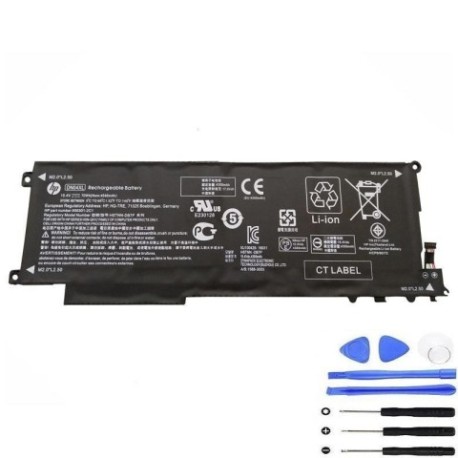
Battery models & part numbers
| Reference / P/N |
|---|
| HP DN04 |
| HP DN04070XL-PL |
| HP HSTNN-DB7P |
| HP-DN04XL-70Wh |
Compatible laptop models
| Model |
|---|
| HP 6FUEU13TZFJ00P |
| HP 856301-2C1 |
| HP 856543-855 |
| HP 856843-850 |
| HP 856843-855 |
| HP ZBook X2 G4 3FB84UT 3FB88UT |
| HP ZBook X2 G4 3JY50UT 3UA47UT |
| HP ZBook X2 G4 3WP24UT 3XP65UT |
| HP ZBook X2 G4 3XT78UT 3TP54UT |
| HP ZBook x2 G4 Detachable Workstations |
| HP ZBook x2 G4s |
Introduction
The HP DN04XL 70Wh battery is a high-performance replacement designed specifically for HP ZBook X2 G4 series laptops and compatible workstations. This genuine replacement ensures optimal performance and safety for your device.
Common signs you need a replacement
| Symptom | Cause | Verification | Recommendation |
|---|---|---|---|
| Short battery life | Ageing cells | Check power settings | Replace battery |
| Laptop won’t hold charge | Battery degradation | Unplug charger test | Immediate replacement |
| Battery swelling | Internal damage | Visual inspection | Stop use immediately |
| Overheating | Faulty cells | Temperature check | Replace and cool device |
How to check compatibility
Verify your laptop model matches one of the compatible models listed above. Check your device’s bottom label or system information in Windows Settings. Cross-reference with the part numbers to ensure perfect compatibility.
When to replace
Replace your battery when it holds less than 50% of its original capacity, shows physical damage, or causes system instability. Most laptop batteries need replacement after 2-3 years of regular use.
Installation guide (overview)
Power off your laptop and disconnect all cables. Remove the bottom panel using the appropriate screwdriver. Disconnect the old battery connector and remove any securing screws. Install the new HP DN04XL battery, reconnect the connector, and reassemble your device.
Usage & care tips
Keep your battery between 20-80% charge for optimal lifespan. Avoid extreme temperatures (ideal range 15-25°C). Store in a cool, dry place when not in use. Calibrate your battery monthly by fully charging and discharging.
Safety & recycling in AU/NZ
Never attempt to open or modify the battery. Dispose of old batteries at authorised recycling centres. In Australia, use Batteryback or similar programs. In New Zealand, utilise e-waste collection services. Never dispose of batteries in household waste.
FAQ
How long does this battery last?
The HP DN04XL 70Wh typically provides 4-6 hours of normal usage, depending on your laptop’s power settings and applications.
Is this battery genuine HP?
This is a compatible replacement battery that meets or exceeds original specifications for HP ZBook X2 G4 models.
What’s the warranty period?
Most replacement batteries come with a 12-month warranty covering manufacturing defects.
Can I use this battery internationally?
Yes, laptop batteries are universal and work with any power supply that matches your laptop’s voltage requirements.
How do I recycle my old battery?
Take it to any authorised battery recycling centre in Australia or New Zealand – many electronics retailers offer this service free of charge.
Will this battery work with my charger?
Yes, it’s compatible with your original HP charger and maintains the same charging specifications.
How do I maximise battery life?
Avoid complete discharges, keep your device cool, and use power-saving modes when possible. Update your BIOS and drivers regularly.