HP DU06 47Wh Battery Replacement Guide
Find the perfect replacement battery for your HP laptop with our comprehensive compatibility guide designed for Australian and New Zealand users.
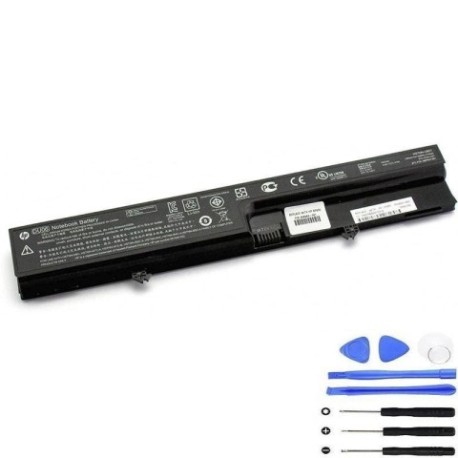
Battery models & part numbers
| Reference / P/N |
|---|
| 451545-001 |
| 451545-252 |
| 451545-322 |
| 451545-361 |
| 451545-362 |
| 456623-001 |
| 456864-001 |
| 466864-001 |
| 491657-001 |
| HP-DU06-47Wh |
| HSTNN-DB51 |
| HSTNN-I38C |
| HSTNN-I47C-A |
| HSTNN-I47C-B |
| HSTNN-I50C-A |
| HSTNN-I55C |
| HSTNN-I64C-4 |
| HSTNN-I65C-4 |
| HSTNN-OB51 |
| NBP6A73 |
| NBP6A73B1 |
Compatible laptop models
| Model |
|---|
| HP Business Notebook 6520s |
| HP Business Notebook 6530s |
| HP Business Notebook 6531s |
| HP Business Notebook 6535S |
| HP Business Notebook 6820 |
| HP Business Notebook 6820s |
| HP Compaq 510 511 515 516 540 541 |
User Journey
Introduction
Welcome to your complete guide for replacing your HP laptop battery. This HP DU06 47Wh battery is compatible with multiple HP business and Compaq models commonly used across Australia and New Zealand.
Common signs you need a replacement
| Symptoms | Causes | Verification | Recommendation |
|---|---|---|---|
| Short battery life (under 1 hour) | Ageing battery cells | Check power settings | Replace battery |
| Laptop won’t hold charge | Battery degradation | Test with power cord | New battery needed |
| Battery swelling | Internal damage | Visual inspection | Immediate replacement |
| Overheating during use | Faulty battery | Temperature check | Replace for safety |
How to check compatibility
Check your laptop’s model number on the bottom case or under the battery compartment. Compare it with our compatibility tables above. You can also check your current battery’s part number for exact matching.
When to replace
Replace your battery when you notice significant performance drops, the battery won’t hold charge, or if it shows physical damage like swelling. Most laptop batteries last 2-4 years with regular use.
Installation guide (overview)
1. Turn off laptop and disconnect power
2. Remove the old battery by sliding release latches
3. Align new battery with connectors
4. Slide into place until it clicks
5. Charge fully before first use
Usage & care tips
• Avoid extreme temperatures (ideal range 15-25°C)
• Don’t leave laptop plugged in constantly
• Perform partial discharges rather than full cycles
• Store in cool, dry place when not in use
• Use authorised chargers only
Safety & recycling in AU/NZ
In Australia and New Zealand, lithium-ion batteries must be recycled properly. Do not dispose of in household waste. Use battery recycling programmes at electronics retailers or local council collection centres. Damaged batteries should be handled with care and recycled immediately.
FAQ
How long does this battery last?
Typically 2-4 years with normal use, or 300-500 charge cycles.
Is this battery genuine HP?
This is a high-quality replacement battery compatible with HP laptops.
Do you ship to Australia and New Zealand?
Yes, we ship to both countries with local delivery options.
What’s the warranty period?
Check the product page for current warranty details.
How do I recycle my old battery?
Use battery recycling services at major electronics retailers.
Can I install this myself?
Yes, most HP batteries are user-replaceable with simple tools.
What if it doesn’t fit my laptop?
Double-check your model number against our compatibility list.