HP GA08 73Wh Battery Replacement Guide
Find the perfect replacement battery for your HP laptop with our comprehensive compatibility guide. This HP GA08 73Wh battery is designed to restore your device’s mobility and performance.
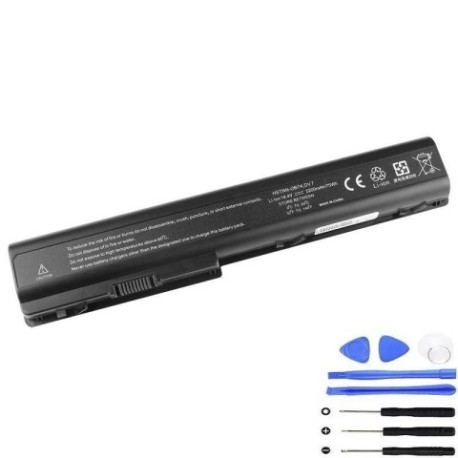
Battery models & part numbers
| Reference / P/N |
|---|
| HP 463837-001 |
| HP 464058-121 |
| HP 464058-251 |
| HP 464059-121 |
| HP 464059-141 |
| HP 464059-142 |
| HP 464059-143 |
| HP 464059-161 |
| HP 464059-221 |
| HP 464059-222 |
| HP 464059-251 |
| HP 464059-252 |
| HP 464059-351 |
| HP 464059-361 |
| HP 480385-001 |
| HP 497705-001 |
| HP 509422-001 |
| HP 516355-001 |
| HP 516478-191 |
| HP 516916-001 |
| HP GA04 |
| HP GA08073 |
| HP GA08073HSTNN-Q59C |
| HP HSTNN-C50C |
| HP HSTNN-DB74 |
| HP HSTNN-DB75 |
| HP HSTNN-IB74 |
| HP HSTNN-IB75 |
| HP HSTNN-IB97 |
| HP HSTNN-OB74 |
| HP HSTNN-OB75 |
| HP HSTNN-Q35C |
| HP HSTNN-Q39C |
| HP HSTNN-Q50C |
| HP HSTNN-Q59C |
| HP HSTNN-XB75 |
| HP KS525AA |
| HP NQ253AV |
| HP-GA08-73Wh |
Compatible laptop models
| Model |
|---|
| HP HDX X18-1000s |
| HP HDX X18-1100s |
| HP HDX X18-1200s |
| HP HDX X18-1300s |
| HP Pavilion dv7 and dv7ts |
| HP Pavilion dv7-1000s |
| HP Pavilion dv7-1100s |
| HP Pavilion dv7-1200s |
| HP Pavilion dv7-1400s |
| HP Pavilion dv7-2000s |
| HP Pavilion dv7-2100s |
| HP Pavilion dv7-3000s |
| HP Pavilion dv7-3100s |
| HP Pavilion dv7t-1000s |
| HP Pavilion dv7t-2000s |
| HP Pavilion dv7t-3000s |
| HP Pavilion dv7z-1100s |
| HP Pavilion dv7z-3000s |
| HP Pavilion dv8-1000s |
| HP Pavilion dv8-1100s |
| HP Pavilion dv8-1200s |
Common signs you need a replacement
| Symptom | Cause | Verification | Recommendation |
|---|---|---|---|
| Battery drains quickly | Ageing cells, reduced capacity | Check battery health in system settings | Replace if capacity below 60% |
| Laptop won’t hold charge | Failed battery cells | Test with power adapter disconnected | Immediate replacement needed |
| Battery swelling | Internal damage, safety hazard | Visual inspection, uneven surface | Replace immediately, do not use |
| Overheating during use | Inefficient power delivery | Monitor temperature, check vents | Replace to prevent damage |
How to check compatibility
Verify your laptop model matches our compatibility list above. Check your current battery’s part number (usually printed on the battery) or locate your laptop’s model number on the bottom casing or under the battery compartment.
When to replace
Replace your battery when you notice significant performance decline, typically after 2-3 years of regular use. Most lithium-ion batteries maintain optimal performance for 300-500 charge cycles.
Installation guide (overview)
- Power off your laptop and disconnect the AC adapter
- Remove the old battery by sliding the release latches
- Align the new battery with the connector and slide into place
- Ensure the battery clicks securely into position
- Charge fully before first use for optimal performance
Usage & care tips
- Avoid complete discharges – recharge when battery reaches 20-30%
- Store in cool, dry conditions (15-25°C ideal)
- Calibrate monthly by fully charging then discharging to 5%
- Use authorised HP chargers for best performance
- Remove battery if storing laptop for extended periods
Safety & recycling in AU/NZ
Always purchase from authorised retailers. Do not attempt to open or modify batteries. In Australia and New Zealand, dispose of old batteries at designated recycling centres – never in household waste. Check with your local council for battery recycling options.
FAQ
How long does this battery last?
The HP GA08 73Wh typically provides 2-4 hours of usage depending on your laptop model and usage patterns.
Is this battery genuine HP?
This is a high-quality replacement battery designed to meet or exceed original specifications and compatibility.
What’s the warranty period?
Most replacement batteries come with a 12-month warranty – check with your retailer for specific terms.
Can I use this battery with newer HP models?
No, this battery is specifically designed for the compatible models listed above. Always verify compatibility before purchase.
How do I maximise battery life?
Avoid extreme temperatures, don’t leave plugged in constantly, and perform regular calibration cycles.
What if my laptop isn’t on the compatibility list?
Do not use this battery. Check your laptop’s exact model number and search for the correct replacement.
Is installation difficult?
Most HP laptop batteries are user-replaceable with simple slide-and-click mechanisms. Refer to your laptop’s manual for specific instructions.