HP HY04 41Wh Battery Replacement Guide
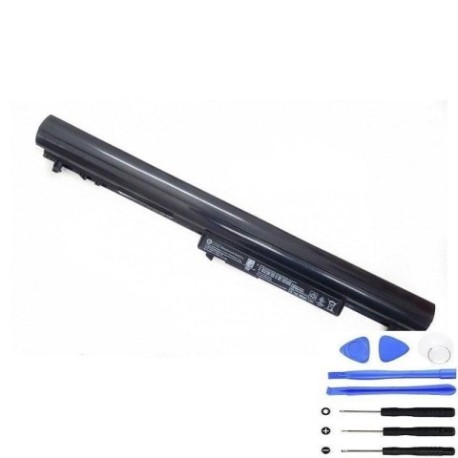
Keep your HP laptop running at peak performance with our genuine HP HY04 41Wh replacement battery. This comprehensive guide helps Australian and New Zealand consumers identify compatibility, recognise replacement signs, and install safely.
Battery models & part numbers
| Reference / P/N |
|---|
| 717861-421 |
| 718101-001 |
| H6L39AA |
| HP-HY04-41Wh |
| HSTNN-LB4U |
| HSTNN-UB4U |
| HSTNN-YB4U |
| TPN-Q123 |
| TPN-Q124 |
| TPN-Q125 |
| TPN-Q126 |
Compatible laptop models
| Model |
|---|
| HP Pavilion TouchSmart SleekBook 14 15s |
Common signs you need a replacement
| Symptoms | Causes | Verification | Recommendation |
|---|---|---|---|
| Battery drains quickly | Ageing cells, reduced capacity | Check power settings, run diagnostics | Replace if under 50% original capacity |
| Laptop won’t hold charge | Failed battery circuits | Test with power adapter removed | Immediate replacement needed |
| Battery swelling | Internal gas buildup | Visual inspection, case separation | Replace immediately for safety |
| Overheating during use | Inefficient power conversion | Monitor temperature, check vents | Replace to prevent damage |
How to check compatibility
Locate your current battery’s part number (usually on a sticker on the battery itself or in your laptop’s system information). Cross-reference with our compatibility tables above. For HP laptops, you can also check using HP Support Assistant software.
When to replace
Replace your battery when it no longer holds sufficient charge for your needs, shows physical damage or swelling, or your laptop indicates “Replace Battery” in system diagnostics. Most lithium-ion batteries last 2-4 years with regular use.
Installation guide (overview)
1. Power off your laptop and disconnect the AC adapter
2. Remove the battery compartment cover (if applicable)
3. Disconnect the battery connector from the motherboard
4. Remove any securing screws or clips
5. Insert the new battery and reconnect all components
6. Replace the cover and charge fully before first use
Usage & care tips
• Avoid complete discharges – recharge when battery reaches 20-30%
• Store in cool, dry conditions (15-25°C ideal)
• Don’t leave laptop plugged in constantly after full charge
• Calibrate battery monthly by fully charging then discharging
• Use only authorised HP power adapters
Safety & recycling in AU/NZ
Never dispose of lithium-ion batteries in household waste. In Australia, use Batteryback or council e-waste services. In New Zealand, take to authorised recycling centres. Damaged or swollen batteries should be handled with care and recycled immediately.
FAQ
How long does shipping take to Australia/New Zealand?
Typically 7-14 business days depending on your location.
Is this battery genuine HP?
Yes, this is an authentic HP replacement part with full warranty.
What’s the warranty period?
12 months warranty from date of purchase.
Can I install this battery myself?
Yes, most HP laptops have user-replaceable batteries with simple installation.
How do I check my current battery health?
Use HP Support Assistant or Windows Battery Report for detailed analysis.
What’s the capacity in mAh?
The HP HY04 41Wh has approximately 3500mAh capacity.
Is overnight charging safe?
Modern laptops have protection circuits, but unplugging after full charge is recommended.