HP KP03 36Wh Battery Replacement
Keep your HP laptop powered with a genuine HP-KP03-36Wh replacement battery. Compatible with various HP models, this 36Wh battery ensures reliable performance for work, study, or entertainment across Australia and New Zealand.
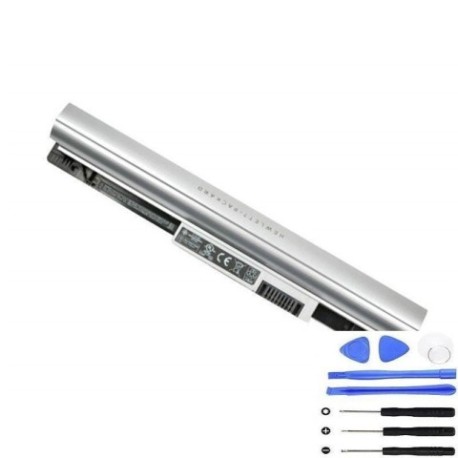
Battery models & part numbers
| Reference / P/N |
|---|
| 729759-241 |
| 729892-001 |
| 759916-121 |
| 760604-001 |
| 794309-121 |
| 794576-001 |
| F3B95AA |
| HP-KP03-36Wh |
| HSTNN-DB5P |
| HSTNN-YB5P |
| KP03036 |
| KP03036-CL3 |
Compatible laptop models
| Model |
|---|
| HP 210 G1s |
| HP 215 G1s |
| HP Pavilion 11-e100s |
| HP Pavilion TouchSmart 11-es |
| HP Pavilion TouchSmart 11s |
Introduction
This guide helps AU/NZ users understand when and how to replace their HP laptop battery. A failing battery can disrupt your day, so we cover signs, compatibility, installation, and local recycling options.
Common signs you need a replacement
| Symptom | Possible Cause | How to Check | Recommendation |
|---|---|---|---|
| Short battery life | Ageing cells | Note usage time vs. original | Consider replacement if under 1 hour |
| Laptop shuts down unexpectedly | Voltage drops | Monitor battery percentage | Test with power adapter |
| Battery not charging fully | Faulty circuitry | Check charging indicator | Inspect charger and ports |
| Swelling or overheating | Internal damage | Visual and touch inspection | Replace immediately for safety |
How to check compatibility
Match your laptop model or part number from the lists above. Cross-reference with your device’s label or system information. For certainty, use HP’s official support site or consult the retailer.
When to replace
Replace when battery health drops below 50% or if you experience persistent issues. In AU/NZ, typical lifespan is 2–3 years with regular use. Avoid using damaged batteries to prevent safety hazards.
Installation guide (overview)
1. Power off and unplug the laptop. 2. Remove the bottom panel (check for screws). 3. Disconnect the old battery. 4. Insert the new HP-KP03-36Wh battery. 5. Reconnect and reassemble. Always refer to your model’s manual for specifics.
Usage & care tips
Store in a cool, dry place (ideal 15–25°C). Avoid full discharges; partial charges extend life. Calibrate monthly by fully charging and discharging. Use authorised chargers to maintain battery health.
Safety & recycling in AU/NZ
Do not expose to extreme temperatures or moisture. Recycle old batteries at local council centres or e-waste drop-off points—never dispose of in household bins due to environmental regulations.
FAQ
How long does shipping take in Australia? Typically 3–7 business days, depending on your location.
Is this battery genuine HP? Yes, it matches original HP part numbers for compatibility.
Can I replace the battery myself? Yes, with basic tools and caution. Follow the installation guide or seek professional help if unsure.
What is the warranty? Check the product page for current warranty details, usually 12–24 months.
How do I recycle the old battery? Use Batteryback or local council services for safe disposal.
Will this work with my HP Pavilion 11-e100s? Yes, it’s listed in the compatible models above.
What if my laptop model isn’t listed? Verify your part number or contact support to confirm fit.