Battery models & part numbers
| Reference / P/N |
|---|
| HP-MC04-41Wh |
Compatible laptop models
| Model |
|---|
| HP Envy 17-n000 |
| HP Envy 17-n100 |
| HP Envy 17-r000 |
| HP Envy 17-r100 |
| HP Envy 17-r200 |
| HP Envy 17t-n000 |
| HP Envy 17t-n100 |
Introduction
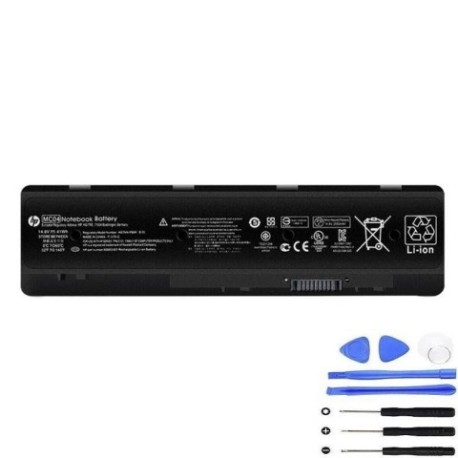
If your HP Envy 17 laptop is struggling to hold a charge or showing battery warning signs, our genuine HP MC04 41Wh replacement battery is the authorised solution. This high-quality battery is specifically designed for HP Envy 17 series laptops and delivers reliable performance for Australian and New Zealand users.
Common signs you need a replacement
| Symptoms | Possible Causes | How to Verify | Recommended Action |
|---|---|---|---|
| Battery won’t hold charge | Ageing battery cells | Check power settings | Consider replacement |
| Laptop shuts down unexpectedly | Battery degradation | Monitor battery health | Replace battery |
| Battery swelling or bulging | Internal damage | Visual inspection | Immediate replacement |
| Overheating during use | Faulty battery | Check temperature | Replace and recycle |
How to check compatibility
To ensure compatibility with your HP Envy 17 laptop, check the model number on the bottom casing or in system information. Compare it against our verified compatibility list above. The HP-MC04-41Wh battery is specifically designed for HP Envy 17 series laptops including the n000, n100, r000, r100, r200, t-n000, and t-n100 models.
When to replace
Replace your laptop battery when you notice significant reduction in battery life, the battery won’t charge fully, or you see physical swelling. Most laptop batteries need replacement after 2-3 years of regular use. In Australia and New Zealand’s varying climate conditions, battery performance can be affected by temperature extremes.
Installation guide (overview)
1. Power off your laptop and disconnect all cables. 2. Remove the bottom panel (consult your user manual for specific instructions). 3. Disconnect the old battery connector. 4. Remove any screws securing the battery. 5. Carefully lift out the old battery. 6. Insert the new HP-MC04-41Wh battery. 7. Reconnect the battery connector and secure with screws. 8. Replace the bottom panel and power on your laptop.
Usage & care tips
For optimal battery performance: Avoid extreme temperatures (ideal range 10°C to 35°C), calibrate your battery monthly by fully charging and discharging, store in a cool, dry place when not in use, and avoid leaving your laptop plugged in constantly. These practices will help extend your battery’s lifespan in AU/NZ conditions.
Safety & recycling in AU/NZ
Battery safety is crucial. Never puncture or expose batteries to fire. In Australia and New Zealand, laptop batteries must be recycled properly through authorised e-waste recycling centres. Many electronics retailers offer free battery recycling services. Never dispose of batteries in household waste due to environmental hazards.
FAQ
How long does the HP MC04 41Wh battery last?
Under normal usage conditions, you can expect 2-4 hours of battery life depending on your laptop settings and usage patterns.
Is this battery genuine HP quality?
Yes, the HP-MC04-41Wh is an authorised replacement battery that meets HP’s original equipment specifications.
Do you ship to both Australia and New Zealand?
Yes, we ship to all major cities and regional areas across Australia and New Zealand with reliable delivery options.
What warranty do you offer?
Our HP replacement batteries come with a comprehensive warranty that covers manufacturing defects and performance issues.
How do I recycle my old laptop battery?
You can drop off your old battery at any authorised e-waste recycling centre or participating electronics retailer in Australia or New Zealand.
Can I install the battery myself?
Yes, most users can install the battery following our guide, but if you’re uncomfortable, seek professional assistance from an authorised service centre.
What if my laptop model isn’t listed?
If your specific HP Envy 17 model isn’t in our compatibility list, contact our support team for verification before purchasing.