HP PG06XL 69Wh Battery Replacement Guide
Find the perfect replacement battery for your HP Omen laptop with our comprehensive compatibility guide and installation tips.
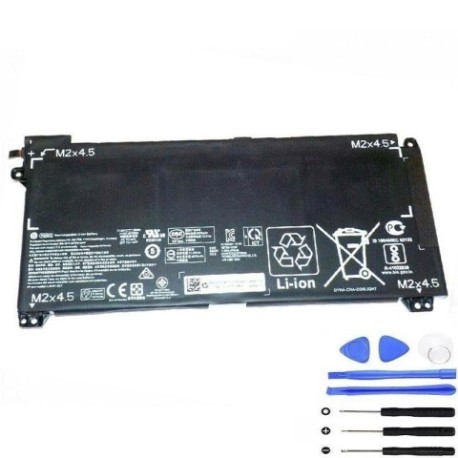
Battery models & part numbers
| Reference / P/N |
|---|
| HP HSTNN-DB9F |
| HP L248431-2C1 |
| HP L48497-005 |
| HP L48497-006 |
| HP PG06 |
| HP PG0606 |
| HP-PG06XL-69Wh |
Compatible laptop models
| Model |
|---|
| HP Omen 15-dh0000s |
| HP Omen 15-dh1000s |
Introduction
The HP PG06XL 69Wh battery is designed specifically for HP Omen 15 gaming laptops, providing reliable power for extended gaming sessions and productivity work.
Common signs you need a replacement
| Symptom | Cause | Verification | Recommendation |
|---|---|---|---|
| Short battery life | Battery degradation over time | Check battery health in Windows | Consider replacement if under 2 hours |
| Laptop won’t hold charge | Failed battery cells | Test with power adapter removed | Immediate replacement needed |
| Battery swelling | Internal damage or age | Visual inspection | Replace immediately for safety |
| Overheating during use | Battery stress or failure | Monitor temperature readings | Replace to prevent damage |
How to check compatibility
Verify your laptop model matches the compatible models listed above. Check your current battery’s part number by removing it from your laptop or using HP’s official diagnostic tools.
When to replace
Replace your battery when you notice significant performance decline, swelling, or if it no longer holds a charge. Most laptop batteries last 2-4 years with regular use.
Installation guide (overview)
Power off your laptop and disconnect all cables. Remove the bottom panel using a Phillips screwdriver. Disconnect the old battery connector and remove mounting screws. Install the new HP PG06XL battery, reconnect the connector, and reassemble.
Usage & care tips
Avoid extreme temperatures (ideal range 15-25°C). Don’t leave your laptop plugged in constantly. Calibrate your battery monthly by fully charging and discharging. Store in a cool, dry place when not in use.
Safety & recycling in AU/NZ
Never puncture or disassemble batteries. Dispose of old batteries at authorised recycling centres. In Australia, use Batteryback or council collection services. In New Zealand, take to designated recycling facilities.
FAQ
How long does the HP PG06XL battery last?
Typically 3-5 hours depending on usage and settings.
Is this battery genuine HP?
This is a high-quality replacement battery compatible with HP Omen models.
Does installation void my warranty?
Check your laptop’s warranty terms. Self-installation may affect remaining warranty coverage.
How do I recycle my old battery in Australia?
Take it to any Batteryback collection point or your local council’s e-waste facility.
What’s the warranty on this battery?
Most replacement batteries come with a 12-month warranty – check with your supplier.
Can I use this battery with other HP models?
Only use with compatible models listed above to ensure proper fit and safety.
How do I check battery health in Windows?
Open Command Prompt as administrator and type “powercfg /batteryreport” to generate a detailed report.