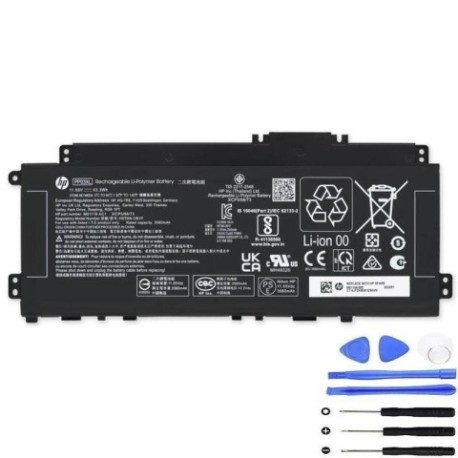
HP PP03XL 43.3Wh Battery Replacement Guide
Introduction
Keep your HP Pavilion laptop running at peak performance with our genuine HP PP03XL 43.3Wh replacement battery. This high-quality battery is specifically designed for various HP Pavilion models commonly used across Australia and New Zealand.
Battery models & part numbers
| Reference / P/N |
|---|
| HP HSTNN-0B1P |
| HP HSTNN-OB1P |
| HP M01118-AC1 |
| HP M01144-005 |
| HP PP03043 |
| HP PP03043XL-P |
| HP-PP03XL-43.3Wh |
Compatible laptop models
| Model |
|---|
| HP Pavilion 13-bb0000s |
| HP Pavilion 14-dv0000s |
| HP Pavilion 14-dv1s |
| HP Pavilion 14-dv2s |
| HP Pavilion 14-ec0s |
| HP Pavilion 14-ec1s |
| HP Pavilion X360 14-DW 14M-DW 14T-DWs |
| HP Pavilion x360 14-dw0000s |
| HP Pavilion x360 14-dw1000s |
Common signs you need a replacement
| Symptoms | Causes | Verification | Recommendation |
|---|---|---|---|
| Battery drains quickly (under 1 hour) | Ageing cells, reduced capacity | Check battery health in Windows | Replace if capacity below 60% |
| Laptop won’t hold charge | Failed battery cells | Test with power adapter removed | Immediate replacement needed |
| Battery swelling or bulging | Gas buildup, safety hazard | Visual inspection, case separation | Stop use immediately, replace urgently |
| Overheating during charging | Internal short circuits | Check temperature (over 45°C) | Replace to prevent damage |
How to check compatibility
Verify your laptop model matches our compatibility list above. Check your current battery’s part number (usually printed on the battery) or look up your laptop’s specifications in HP Support Assistant.
When to replace
Replace your battery when it no longer holds sufficient charge for your needs, shows physical damage, or reaches 2-3 years of regular use. Most HP batteries maintain optimal performance for 300-500 charge cycles.
Installation guide (overview)
1. Power off laptop and disconnect charger
2. Remove bottom panel screws (typically 8-10)
3. Carefully disconnect battery connector
4. Remove old battery mounting screws
5. Install new battery and reconnect
6. Replace bottom panel and power on
Always consult official HP service guides for detailed instructions.
Usage & care tips
• Avoid complete discharges – charge at 20-30% remaining
• Store at room temperature (15-25°C)
• Use authorised HP chargers only
• Calibrate monthly: full charge then complete discharge
• Keep contacts clean and dry
Safety & recycling in AU/NZ
Batteries must be recycled responsibly. In Australia, use Batteryback or council e-waste services. In New Zealand, utilise accredited recyclers through your local transfer station. Never dispose of lithium batteries in household waste due to fire risk.
FAQ
How long does shipping take to AU/NZ?
Typically 7-14 business days with express options available.
Is this battery genuine HP?
Yes, we supply original HP batteries with full manufacturer warranty.
What’s the battery capacity?
43.3Wh providing 4-6 hours typical usage depending on model and settings.
Do you provide installation service?
We recommend authorised HP service centres for professional installation.
What warranty do you offer?
12-month manufacturer warranty covering defects and premature failure.
How do I recycle my old battery?
Contact your local council for e-waste disposal options or return to authorised collection points.
Will this battery work with my convertible laptop?
Yes, compatible with all listed Pavilion x360 convertible models.