HP RU03XL 48Wh Battery Replacement Guide
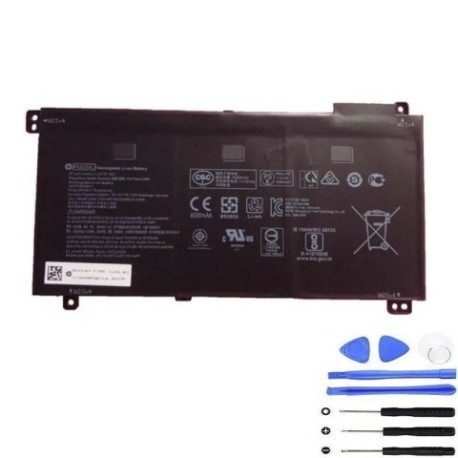
Find the perfect replacement battery for your HP ProBook in Australia and New Zealand. Our genuine HP RU03XL 48Wh battery ensures optimal performance and compatibility.
Battery models & part numbers
| Reference / P/N |
|---|
| HP HSTNN-IB8P |
| HP L12717-171 |
| HP L12791-855 |
| HP RU03 |
| HP RU03048XL-PR |
| HP-RU03XL-48Wh |
Compatible laptop models
| Model |
|---|
| HP ProBook x360 11 G3s |
| HP ProBook x360 11 G4s |
| HP ProBook x360 11 G5s |
| HP ProBook x360 11 G7s |
| HP ProBook x360 440 G1s |
Introduction
Keep your HP ProBook running at peak performance with our authorised replacement battery. The HP RU03XL 48Wh battery is designed specifically for compatibility with multiple ProBook models commonly used in Australian and New Zealand workplaces.
Common signs you need a replacement
| Symptoms | Causes | Verification | Recommendation |
|---|---|---|---|
| Short battery life | Ageing cells | Check power settings | Replace battery |
| Laptop won’t hold charge | Battery degradation | Run battery test | New battery needed |
| Swelling/bulging | Internal damage | Visual inspection | Immediate replacement |
| Overheating | Faulty components | Temperature check | Safety replacement |
How to check compatibility
Verify your laptop model matches our compatibility list above. Check your current battery’s part number (usually found on the battery itself or in system information) against our reference numbers. For Australian and New Zealand customers, ensure you’re purchasing from authorised suppliers.
When to replace
Replace your battery when you notice significant reduction in runtime, the battery won’t hold a charge, or physical swelling occurs. Most laptop batteries last 2-4 years with regular use in typical AU/NZ conditions.
Installation guide (overview)
1. Power off laptop and disconnect charger
2. Remove the bottom panel (consult your model’s manual)
3. Disconnect old battery connector
4. Remove mounting screws
5. Install new HP RU03XL battery
6. Reconnect and reassemble
7. Charge fully before first use
Usage & care tips
• Avoid extreme temperatures (ideal range 10°C to 35°C)
• Don’t leave laptop plugged in constantly
• Perform occasional full discharge cycles
• Store in cool, dry conditions when not in use
• Use only authorised HP chargers
Safety & recycling in AU/NZ
Batteries must be recycled properly in Australia and New Zealand. Do not dispose of in household waste. Contact your local council recycling centre or return to authorised battery collection points. Damaged or swollen batteries require special handling – contact professionals.
FAQ
How long does shipping take in Australia?
Typically 3-7 business days depending on location.
Is this battery genuine HP?
Yes, we supply authorised HP replacement batteries.
What warranty do you offer?
12-month warranty on all HP batteries.
Can I install this myself?
Yes, with basic technical skills and proper tools.
Do you ship to New Zealand?
Yes, we ship throughout New Zealand.
How do I recycle my old battery?
Contact local council or battery recycling centres.
What if it doesn’t fit my laptop?
Check compatibility first – we offer returns for incompatible items.