Battery models & part numbers
| Reference / P/N |
|---|
| HP 849568-421 |
| HP 849568-431 |
| HP 849568-541 |
| HP 849908-850 |
| HP HSTNN-LB7G |
| HP SE03041XL-PR |
| HP TPN-Q171 |
| HP-SE03XL-41.5Wh |
Compatible laptop models
| Model |
|---|
| HP Pavilion 14-al000s |
| HP Pavilion 14-al100s |
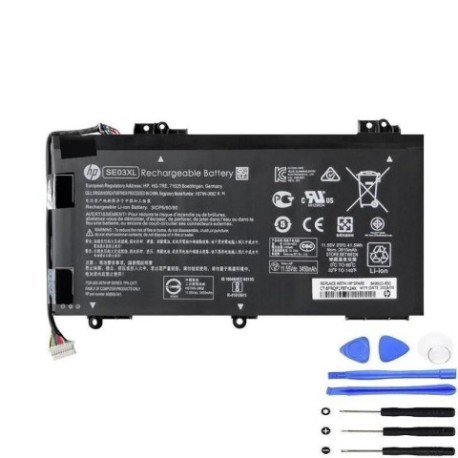
Introduction
Keep your HP laptop running at peak performance with our genuine replacement battery. Designed specifically for HP Pavilion 14 series laptops and compatible with multiple part numbers.
Common signs you need a replacement
| Symptoms | Causes | Verification | Recommendation |
|---|---|---|---|
| Battery drains quickly | Ageing cells | Check power settings | Consider replacement |
| Laptop shuts down unexpectedly | Voltage drops | Monitor battery health | Replace battery |
| Battery won’t hold charge | Cell degradation | Test with power metre | Immediate replacement |
| Swelling or overheating | Internal damage | Visual inspection | Replace immediately |
How to check compatibility
Verify your laptop model and part number match our compatibility list. Check your current battery’s label or use HP’s online support centre for confirmation.
When to replace
Replace your battery when capacity drops below 80%, if you notice swelling, or when runtime no longer meets your needs. Most batteries last 2-3 years with regular use.
Installation guide (overview)
Power off and unplug your laptop. Remove the bottom panel, disconnect the old battery, install the new one, and reassemble. Always use proper anti-static precautions.
Usage & care tips
Avoid extreme temperatures (ideal range 15-25°C). Don’t leave laptop plugged in constantly. Calibrate battery monthly. Store at 40-60% charge if not using for extended periods.
Safety & recycling in AU/NZ
Dispose of old batteries at authorised recycling centres. Never puncture or expose to fire. In Australia, use Batteryback or similar programmes. In New Zealand, check with local council facilities.
FAQ
How long does delivery take in Australia?
Typically 3-7 business days for metro areas, slightly longer for regional centres.
Is this battery genuine HP?
Yes, this is an authentic HP replacement battery with full manufacturer warranty.
What’s the warranty period?
12 months warranty from date of purchase, covering manufacturing defects.
Can I install this myself?
Yes, with basic technical skills. Follow our installation guide or seek professional help if unsure.
How do I check my current battery health?
Use HP Support Assistant or Windows Battery Report to monitor capacity and health status.
Is overnight charging safe?
Modern laptops have protection circuits, but we recommend unplugging once fully charged for optimal battery life.
What if my model isn’t listed?
Contact our support team with your exact laptop model and current battery part number for verification.