Battery models & part numbers
| Reference / P/N |
|---|
| 932823-1C1 |
| 932823-2C1 |
| 932823-421 |
| 933321-852 |
| 933321-855 |
| 933321-855BU |
| HP-SS03XL-50Wh |
| HSN-I12C |
| HSN-I13C-4 |
| HSTNN-1B8C |
| HSTNN-DB8J |
| HSTNN-IB8C |
| HSTNN-LB8G |
| SS03 |
| SS03050XL-PL |
| SS03050XM-PL |
| SSO3X |
| SSO3XL |
| XU100429-17072 |
Compatible laptop models
| Model |
|---|
| HP EliteBook 735 G5s |
| HP EliteBook 735 G6s |
| HP EliteBook 745 G5s |
| HP EliteBook 745 G6s |
| HP EliteBook 820 G5s |
| HP EliteBook 830 G5s |
| HP EliteBook 830 G6s |
| HP EliteBook 840 G5s |
| HP EliteBook 840 G6s |
| HP EliteBook 846 G5s |
| HP mt44 Mobile Thin Clients |
| HP mt45 Mobile Thin Clients |
| HP ProBook 640 G4s |
| HP ZBook 14u G5s |
| HP ZBook 14u G6s |
| HP ZBook 15 G6s |
Introduction
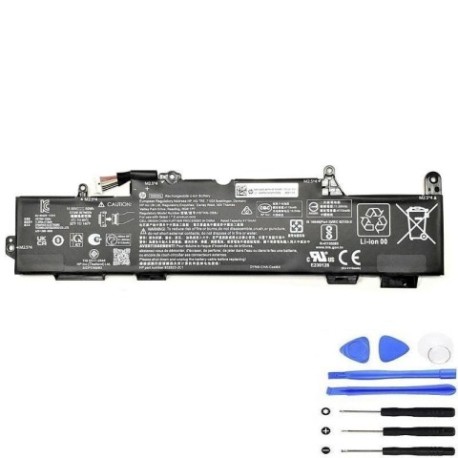
Keep your HP laptop running smoothly with a genuine replacement battery. Our HP SS03XL 50Wh battery is authorised for a wide range of HP business laptops, ensuring reliable performance and safety.
Common signs you need a replacement
| Symptom | Cause | How to check | Recommendation |
|---|---|---|---|
| Short battery life | Ageing cells, reduced capacity | Check power settings, run battery report | Replace if under 50% original capacity |
| Laptop won’t hold charge | Faulty battery circuit | Test with power adapter disconnected | Immediate replacement needed |
| Swelling or overheating | Internal damage, safety risk | Visual inspection, feel for heat | Stop use and replace immediately |
| Random shutdowns | Voltage drops under load | Monitor during heavy use | Replace to prevent data loss |
How to check compatibility
Verify your laptop model or part number matches our compatibility lists above. Check your current battery’s label for the part number, or find your laptop model in system information.
When to replace
Replace your battery when runtime drops below 2 hours, you notice physical damage, or your system alerts you to reduced capacity. Most HP batteries last 2-3 years with daily use.
Installation guide (overview)
1. Power off and unplug your laptop. 2. Remove the bottom panel (check your model’s manual). 3. Disconnect the old battery connector. 4. Insert the new battery and reconnect. 5. Replace the panel and power on. Always use anti-static precautions.
Usage & care tips
• Avoid full discharges; charge between 20-80% for longest life.
• Store in a cool, dry place (15-25°C ideal).
• Use only HP-authorised chargers.
• Calibrate monthly by fully charging then discharging to 5%.
Safety & recycling in AU/NZ
Never disassemble or expose batteries to heat above 60°C. In Australia and New Zealand, recycle used batteries at authorised collection centres—never in household waste. Check with your local council for drop-off locations.
FAQ
How long does delivery take in Australia?
Typically 3-7 business days for metro areas.
Is this battery genuine HP?
Yes, it meets HP’s original specifications and is authorised for use.
What’s the warranty period?
12 months from purchase date.
Can I use this battery if my laptop model isn’t listed?
No, only use with compatible models to avoid damage.
How do I check my current battery’s health?
In Windows, open Command Prompt and type “powercfg /batteryreport”.
Is installation difficult?
Most models require basic screwdriver skills; refer to HP’s online guides.
Do you ship to New Zealand?
Yes, with similar delivery times and full customs compliance.