Battery models & part numbers
| Reference / P/N |
|---|
| HP 632113-141 |
| HP 632113-151 |
| HP 632113-421 |
| HP 632114-141 |
| HP 632114-421 |
| HP 632114-422 |
| HP 632425-001 |
| HP HSTNN-F10C |
| HP HSTNN-F13C |
| HP HSTNN-I09C |
| HP HSTNN-I93C |
| HP HSTNN-IB2P |
| HP HSTNN-IB2Q |
| HP HSTNN-LB2P |
| HP HSTNN-LB2Q |
| HP QK641AA |
| HP VH08 |
| HP-VH08XL-75Wh |
Compatible laptop models
| Model |
|---|
| HP EliteBook 8540ws |
| HP EliteBook 8560ws |
| HP EliteBook 8570ws |
| HP EliteBook 8760ws |
| HP EliteBook 8770ws |
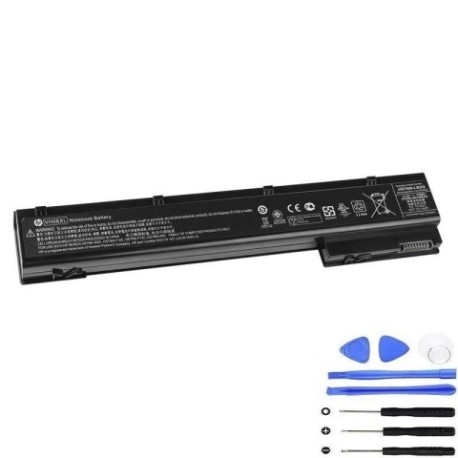
Introduction
Keep your HP EliteBook workstation running at peak performance with our genuine replacement battery. The HP VH08XL 75Wh battery is designed specifically for Australian and New Zealand conditions.
Common signs you need a replacement
| Symptoms | Causes | Verification | Recommendation |
|---|---|---|---|
| Battery drains quickly | Ageing cells | Check battery health in system settings | Consider replacement if under 50% capacity |
| Laptop won’t hold charge | Worn battery | Test with power adapter disconnected | Replace immediately |
| Battery swelling | Internal damage | Visual inspection | Replace urgently for safety |
| Overheating during use | Failing components | Monitor temperature | Replace to prevent damage |
How to check compatibility
Verify your laptop model matches our compatibility list above. Check your current battery’s part number located on the battery label. Ensure it matches one of the reference numbers provided.
When to replace
Replace your battery when it no longer holds sufficient charge for your needs, shows physical damage, or reaches 2-3 years of regular use. Most batteries degrade significantly after 500 charge cycles.
Installation guide (overview)
Power down your laptop completely. Remove the power adapter. Slide the battery release latch and carefully remove the old battery. Align the new battery and press firmly until it clicks into place. Charge fully before first use.
Usage & care tips
Avoid extreme temperatures (store between 15-25°C). Don’t leave your laptop plugged in constantly. Calibrate your battery monthly by fully discharging then recharging. Keep contacts clean and dry.
Safety & recycling in AU/NZ
Never attempt to open or modify the battery. Dispose of old batteries at authorised recycling centres. In Australia, use Batteryback or similar programs. In New Zealand, utilise e-waste collection services. Never dispose in household waste.
FAQ
How long does delivery take in Australia?
Most metropolitan areas receive delivery within 3-5 business days. Regional areas may take 5-7 business days.
Is this battery genuine HP?
Yes, this is an authentic HP replacement battery with full manufacturer warranty.
What’s the warranty period?
This battery comes with a 12-month warranty covering manufacturing defects.
Will this work with my older EliteBook model?
Yes, provided your model matches our compatibility list exactly.
How do I maximise battery life?
Avoid complete discharges, keep between 20-80% charge when possible, and store in cool conditions.
Can I use this battery internationally?
Yes, the battery operates on standard laptop power requirements worldwide.
What if my laptop isn’t on the compatibility list?
Contact our support team with your exact model number for verification.