Lenovo L15D3K32 31Wh Battery Replacement Guide
Find the perfect replacement battery for your Lenovo device with our comprehensive compatibility guide and installation instructions.
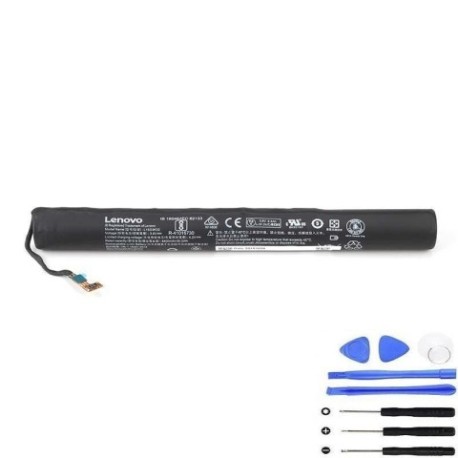
Battery models & part numbers
| Reference / P/N |
|---|
| Lenovo-L15D3K32-31Wh |
Compatible laptop models
| Model |
|---|
| Lenovo 15D2K31 |
| Lenovo 5B18C03587 |
| Lenovo Tab 3 10 Plus TB3-X70F (ZA0X) |
| Lenovo Tab 3 10 Plus TB3-X70F (ZA14) |
| Lenovo Tab 3 10 Plus TB3-X70L (ZA0X) |
| Lenovo Yoga Tab 3 10 YT3-X50F (ZA0H) |
| Lenovo Yoga Tab 3 10 YT3-X50L (ZA0J) |
| Lenovo Yoga Tab 3 10 YT3-X50M (ZA0K) |
Introduction
The Lenovo L15D3K32 31Wh battery is a high-quality replacement designed specifically for compatible Lenovo tablets and laptops. This genuine replacement ensures optimal performance and safety for your device.
Common signs you need a replacement
| Symptoms | Causes | Verification | Recommendation |
|---|---|---|---|
| Rapid battery drain | Ageing battery cells | Check battery health in settings | Consider replacement if under 50% capacity |
| Device won’t hold charge | Failed battery circuits | Test with different charger | Replace battery immediately |
| Battery swelling | Chemical breakdown | Visual inspection | Replace urgently for safety |
| Overheating during use | Internal resistance increase | Monitor temperature | Replace if consistently over 45°C |
How to check compatibility
Verify your device model matches the compatible models listed above. Check your device’s original battery part number or consult your device’s documentation. Always cross-reference with multiple sources to ensure perfect compatibility.
When to replace
Replace your battery when you notice significant performance degradation, typically after 2-3 years of regular use. Immediate replacement is required for any physical damage, swelling, or safety concerns.
Installation guide (overview)
Power off your device completely. Use proper tools to carefully remove the back cover. Disconnect the old battery connector and remove any adhesive or screws. Install the new battery, reconnect, and reassemble. Always refer to official service manuals for detailed instructions.
Usage & care tips
Avoid extreme temperatures (ideal range 15-25°C). Don’t leave your device plugged in constantly. Perform regular calibration cycles. Store in cool, dry conditions when not in use for extended periods.
Safety & recycling in AU/NZ
In Australia and New Zealand, battery recycling is mandatory. Take old batteries to authorised collection centres. Never dispose of batteries in household waste. Follow local council guidelines for proper battery disposal and recycling programmes.
FAQ
How long does this battery last?
Typically 2-3 years with normal use, providing up to 6-8 hours of typical usage depending on your device and settings.
Is this battery genuine Lenovo?
This is a compatible replacement battery designed to meet or exceed original specifications for the listed models.
What’s the warranty period?
Most replacement batteries come with a 12-month warranty, but check with your supplier for specific terms.
Can I install this myself?
Yes, with proper tools and following safety guidelines. However, if unsure, seek professional installation services.
How do I recycle my old battery?
Take it to any authorised battery recycling centre or electronic waste collection point in your local area.
What if my device isn’t listed?
Only use this battery with the compatible models specified. Using with incompatible devices may cause damage.
Is fast charging supported?
This battery supports the same charging specifications as your original device when used with the correct charger.