Battery models & part numbers
| Reference / P/N |
|---|
| L15L4PC0 |
| L15M6PC0 |
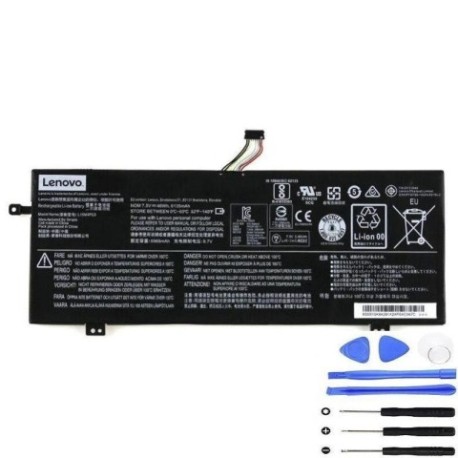
| Lenovo-L15M4PC0-46Wh |
Compatible laptop models
| Model |
|---|
| Lenovo 35046429 |
| Lenovo 5B10K84291 |
| Lenovo 5B10K85625 |
| Lenovo 5B10L55039 |
| Lenovo IdeaPad 710S |
| Lenovo IdeaPad 710S-13IKB |
| Lenovo IdeaPad 710S-13IKB (80VQ) |
| Lenovo IdeaPad 710S-13IKB Plus (80W3) |
| Lenovo IdeaPad 710S-13IKB(80W3) |
| Lenovo IdeaPad 710S-13ISK |
| Lenovo IdeaPad 710S-13ISK (80SW) |
| Lenovo IdeaPad 710S-13ISK Plus (80VU) |
| Lenovo IdeaPad 710S-13ISK(80SW) |
| Lenovo IdeaPad 710S-13ISK-IFI |
| Lenovo IdeaPad 710S-13ISK-ISE |
| Lenovo IdeaPad 710S-13ISK-ITH |
| Lenovo Ideapad 710S |
| Lenovo Ideapad 710S Plus |
| Lenovo Ideapad 710S-13ISK |
| Lenovo V320-17IKB |
| Lenovo V320-17IKB(80XM) |
| Lenovo V320-17IKB(81AH) |
| Lenovo V320-17IKB(81CN) |
| Lenovo V720 12 (80WJ) |
| Lenovo V730-13 |
| Lenovo V730-13 (81AV) |
| Lenovo V730-13(81AV) |
| Lenovo V730-13-IFI |
| Lenovo V730-13-ISE |
| Lenovo Yoga V720 12IKB (80WJ) |
Introduction
If your Lenovo laptop is showing signs of battery fatigue, you’ve come to the right place. Our genuine replacement batteries are designed specifically for Australian and New Zealand conditions, ensuring optimal performance and safety.
Common signs you need a replacement
| Symptom | Possible Cause | How to Verify | Recommendation |
|---|---|---|---|
| Short battery life | Battery degradation | Check power settings | Consider replacement |
| Laptop won’t hold charge | Faulty battery cells | Test with power adapter | Replace battery |
| Battery swelling | Internal damage | Visual inspection | Replace immediately |
| Overheating | Battery stress | Monitor temperature | Replace for safety |
How to check compatibility
Always verify your laptop model matches our compatibility list. Check the label on the bottom of your device or use Lenovo’s official support website with your serial number.
When to replace
Replace your battery when it holds less than 50% of its original capacity, shows physical damage, or causes system instability. Most batteries last 2-3 years with regular use.
Installation guide (overview)
1. Power off and unplug your laptop. 2. Remove the bottom cover. 3. Disconnect the old battery. 4. Install the new battery. 5. Reassemble and charge fully. Always refer to your device’s service manual or seek professional help if unsure.
Usage & care tips
• Avoid extreme temperatures (ideal range: 10°C to 35°C)
• Don’t leave laptop plugged in constantly
• Perform regular calibration cycles
• Store in cool, dry conditions when not in use
Safety & recycling in AU/NZ
Never dispose of batteries in household waste. Use authorised battery recycling centres available at most electronics retailers. In Australia, check with Planet Ark. In New Zealand, use the Recycle-more programme.
FAQ
How long does shipping take in Australia?
Most orders arrive within 3-7 business days depending on your location.
Is this battery genuine Lenovo?
Yes, all our batteries are genuine OEM parts with full manufacturer warranty.
What’s the warranty period?
All batteries come with a 12-month warranty covering manufacturing defects.
Can I install this myself?
Yes, with basic technical skills. However, we recommend professional installation for warranty purposes.
How do I recycle my old battery?
Take it to any Officeworks, JB Hi-Fi, or other participating electronics retailers for free recycling.
Will this improve my battery life?
Yes, a new battery will restore your laptop to its original battery performance specifications.
Do you ship to New Zealand?
Yes, we ship to both Australia and New Zealand with competitive shipping rates.