Lenovo L18L3P72 51Wh Battery Replacement Guide
Find the perfect replacement battery for your Lenovo ThinkPad in Australia and New Zealand. Our genuine-compatible L18L3P72 51Wh battery ensures optimal performance for your business or personal laptop.
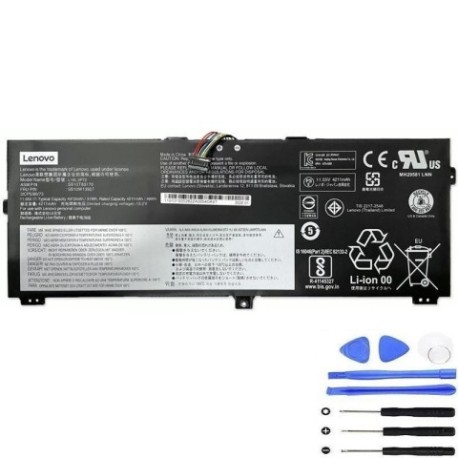
Battery models & part numbers
| Reference / P/N |
|---|
| 02DL021 |
| 02DL022 |
| 02HM886 |
| 3ICP5/80/73 |
| 5B10W13927 |
| 5B10W13928 |
| 5B10W13929 |
| L18M3P72 |
| L19M3P71 |
| Lenovo-L18L3P72-51Wh |
| SB10K97659 |
| SB10T83170 |
| SB10T83171 |
Compatible laptop models
| Model |
|---|
| Lenovo ThinkPad X13 Yoga (20SY/20SX) |
| Lenovo ThinkPad X390 Yoga (20NN) |
| Lenovo ThinkPad Yoga X390 (20NQ) |
Introduction
Keep your Lenovo ThinkPad running at peak performance with our compatible L18L3P72 51Wh replacement battery. Designed for Australian and New Zealand users, this battery meets strict quality standards and provides reliable power for your mobile computing needs.
Common signs you need a replacement
| Symptom | Cause | Verification | Recommendation |
|---|---|---|---|
| Short battery life | Ageing cells | Check power settings | Replace battery |
| Laptop won’t hold charge | Battery degradation | Test with power meter | Install new battery |
| Swollen battery case | Internal pressure | Visual inspection | Replace immediately |
| Overheating during use | Faulty cells | Temperature check | Professional assessment |
How to check compatibility
Verify your laptop model matches our compatibility list above. Check your current battery’s part number (usually printed on the battery) against our reference table. For Australian and New Zealand customers, ensure your device is authorised for use in our region.
When to replace
Replace your battery when runtime drops below 50% of original capacity, or after 2-3 years of regular use. In AU/NZ’s varied climate conditions, batteries may degrade faster in extreme temperatures.
Installation guide (overview)
Power down your laptop and disconnect from mains. Remove the bottom panel using appropriate screwdrivers. Carefully disconnect the old battery and install the new L18L3P72 unit. Reassemble and charge fully before first use.
Usage & care tips
Store batteries at room temperature (15-25°C). Avoid complete discharges. Calibrate monthly by fully charging then discharging. Keep connectors clean and dry.
Safety & recycling in AU/NZ
Dispose of old batteries at authorised recycling centres. Never incinerate or puncture batteries. In Australia, use Batteryback services. In New Zealand, utilise local council e-waste programmes.
FAQ
How long does shipping take in Australia?
Most orders arrive within 3-7 business days to metro areas.
Is this battery genuine Lenovo?
This is a high-quality compatible battery meeting original specifications.
What warranty do you offer?
We provide 12 months warranty covering manufacturing defects.
Will this work with my X390 Yoga purchased in NZ?
Yes, if your model matches our compatibility list above.
How do I check battery health?
Use Lenovo Vantage software or Windows battery report feature.
Can I install this myself?
Yes, with basic technical skills and proper tools. Follow our installation guide.
What’s the battery capacity?
51Wh capacity providing typical 6-8 hours usage depending on settings.