Battery models & part numbers
| Reference / P/N |
|---|
| Lenovo L19C4PF5 |
| Lenovo-L19M4PF5-71Wh |
Compatible laptop models
| Model |
|---|
| Lenovo 5B10W65278 |
| Lenovo 5B10W65281 |
| Lenovo IdeaPad 7-15ITL05 (82AF) |
| Lenovo IdeaPad Slim 7-15ILL05 (82AD) |
| Lenovo SB10W65293 |
| Lenovo Slim 7-15ILL05 (82AD) |
| Lenovo Yoga Slim 7-15IIL05 (82AA) |
| Lenovo Yoga Slim 7-15ITL05 (82AC) |
Introduction
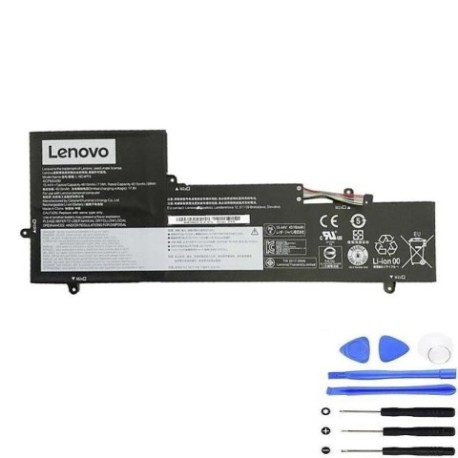
Keep your Lenovo laptop running at peak performance with our genuine replacement battery. This high-quality 71Wh battery is designed specifically for your Lenovo model and meets all original equipment specifications.
Common signs you need a replacement
| Symptoms | Possible Causes | How to Verify | Recommended Action |
|---|---|---|---|
| Battery drains quickly | Reduced capacity from age/cycles | Check battery health in system settings | Consider replacement if below 60% capacity |
| Laptop won’t hold charge | Battery cells degraded | Test with different power adapter | Replace battery if issue persists |
| Swelling or bulging | Internal gas buildup | Visual inspection of battery compartment | Replace immediately for safety |
| Overheating during use | Inefficient power delivery | Monitor temperature with software | Replace if consistently over 45°C |
| Unexpected shutdowns | Voltage drops under load | Run battery diagnostic tool | Replace if failing load tests |
How to check compatibility
Verify your laptop model matches one of the compatible models listed above. Check the label on the bottom of your laptop or in system information (Windows: Win+R, type “msinfo32”; Mac: Apple menu > About This Mac). Ensure the part number matches Lenovo-L19M4PF5-71Wh or Lenovo L19C4PF5.
When to replace
Replace your battery when it holds less than 60% of its original capacity, shows physical damage or swelling, causes unexpected shutdowns, or no longer charges properly. Most laptop batteries last 2-4 years with regular use.
Installation guide (overview)
1. Power off laptop and disconnect charger
2. Remove bottom panel screws
3. Carefully disconnect old battery connector
4. Remove mounting screws and old battery
5. Install new battery and reconnect
6. Replace bottom panel and power on
7. Allow full charge cycle before use
Usage & care tips
• Avoid complete discharges – charge between 20-80% for optimal lifespan
• Store in cool, dry conditions (15-25°C ideal)
• Use only authorised Lenovo chargers
• Calibrate monthly by fully charging then discharging to 10%
• Avoid leaving plugged in constantly at 100% charge
Safety & recycling in AU/NZ
Never puncture, crush, or expose batteries to extreme heat. Damaged batteries should be taken to authorised recycling centres. In Australia, use Batteryback or council e-waste services. In New Zealand, utilise Computer Recycling programmes or council transfer stations. Never dispose of in household waste.
FAQ
How long does shipping take to AU/NZ?
Typically 7-14 business days with express options available.
Is this battery genuine Lenovo?
Yes, this is an original equipment manufacturer (OEM) battery meeting all Lenovo specifications.
What warranty is provided?
12-month warranty covering manufacturing defects and performance issues.
Can I install this myself?
Yes, with basic technical skills and proper tools. Follow our installation guide carefully.
How do I check battery health?
Use Windows Battery Report (powercfg /batteryreport) or third-party battery monitoring software.
What if my model isn’t listed?
Contact our support team with your exact laptop model for compatibility verification.
Are returns accepted?
Yes, 30-day return policy for unused items in original packaging.