Battery models & part numbers
| Reference / P/N |
|---|
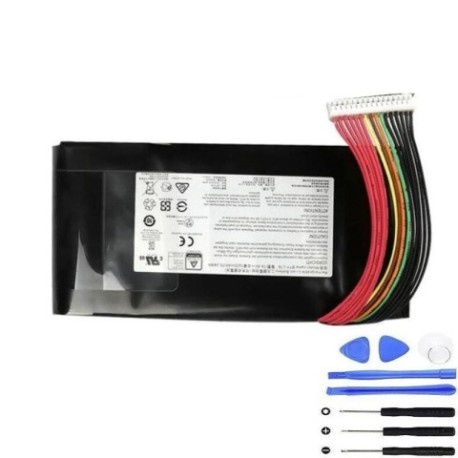
| MSI-BTY-L78right-75.24Wh |
Compatible laptop models
| Model |
|---|
| MSI GT73EVR 7RD Titan |
| MSI GT73EVR 7RD-818CN |
| MSI GT73EVR 7RE |
| MSI GT73EVR 7RE Titan |
| MSI GT73EVR 7RF |
| MSI GT73EVR 7RF Titan Pro |
| MSI GT73VR |
| MSI GT73VR 6RE |
| MSI GT73VR 6RF |
| MSI GT73VR 6RF Titan Pro |
| MSI GT73VR 6RF4K32SR451 Titan Pro |
| MSI GT73VR 7RE |
| MSI GT73VR 7RE (MS-17A1) |
| MSI GT73VR 7RE Titan SLI |
| MSI GT73VR 7RE-471RU Titan SLI 4K |
| MSI GT73VR 7RF |
| MSI GT73VR 7RF (MS-17A1) |
| MSI GT73VR Titan |
| MSI GT73VR Titan Pro |
| MSI GT75 8RF |
| MSI GT75 8RG |
| MSI GT75 8SF (MS-17A6) |
| MSI GT75 Titan 8RF |
| MSI GT75 Titan 9SF (MS-17A6) |
| MSI GT75 Titan 9SG (MS-17A6) |
| MSI GT75VR |
| MSI GT75VR 7RE |
| MSI GT75VR 7RE (MS-17A2) |
| MSI GT75VR 7RE Titan |
| MSI GT75VR 7RF Titan Pro |
| MSI GT75VR Titan |
| MSI GT76 Titan 8SG (MS-17A6) |
| MSI GT76 Titan DT 10SFS (MS-17H3) |
| MSI GT76 Titan DT 9SFS (MS-17H1) |
| MSI GT76 Titan DT 9SG (MS-17H1) |
| MSI GT76 Titan DT 9SGS (MS-17H1) |
| MSI GT80S (MS-1814) |
| MSI GT83VR 7RE (MS-1815) |
| MSI WT75 8SK |
| MSI WT75 8SL |
| MSI WT75 8SM |
| MSI WT75 8SM (MS-17A5) |
Introduction
Keep your MSI laptop running smoothly with a genuine replacement battery. This guide helps Australian and New Zealand users identify compatibility, recognise replacement signs, and install safely.
Common signs you need a replacement
| Symptom | Cause | Verification | Recommendation |
|---|---|---|---|
| Short battery life | Ageing cells | Check power settings | Replace if under 2 hours |
| Laptop shuts down unexpectedly | Voltage drops | Monitor battery health | Replace immediately |
| Battery not charging | Faulty circuit | Test with multimeter | Replace battery |
| Swelling or overheating | Internal damage | Visual inspection | Replace urgently |
How to check compatibility
Refer to the compatibility table above or check your laptop’s model number on the underside. Ensure the part number matches MSI-BTY-L78right-75.24Wh.
When to replace
Replace your battery if it holds less than 50% charge, shows physical damage, or is over two years old with heavy use.
Installation guide (overview)
Power off and unplug the laptop. Remove the bottom panel, disconnect the old battery, and connect the new one. Secure all components and reassemble.
Usage & care tips
Avoid full discharges; keep charge between 20–80%. Store in a cool, dry place below 25°C. Use only authorised chargers.
Safety & recycling in AU/NZ
Do not disassemble batteries. Recycle at designated e-waste centres. In Australia, check with local council services. In New Zealand, use accredited recyclers.
FAQ
How long does delivery take? Typically 3–7 business days within AU/NZ.
Is this battery genuine? Yes, it’s an authentic MSI replacement part.
Can I install it myself? Yes, with basic tools and caution.
What is the warranty? 12 months from purchase date.
Does it come charged? Partially charged; fully charge before first use.
Is recycling free? Yes, at most e-waste centres.