Battery models & part numbers
| Reference / P/N |
|---|
| Razer RZ09-0102 |
| Razer RZ09-01020101 |
| Razer RZ09-01020102 |
| Razer RZ09-01021101 |
| Razer RZ09-01021101-R3U1 |
| Razer RZ09-01021102 |
| Razer RZ09-0102Q102 |
| Razer RZ09-0116 |
| Razer RZ09-01161E30 |
| Razer RZ09-01161E31 |
| Razer RZ09-01161E32-R3U1 |
| Razer RZ09-01161R32 |
| Razer RZ09-01301E20 |
| Razer RZ09-01301E21 |
| Razer RZ09-01301E22 |
| Razer RZ09-01301E41 |
| Razer RZ09-01302E22 |
| Razer RZ9-01021101-R3U |
| Razer RZ9-01021101-R3U1 |
| Razer-RZ09-0130-71.04Wh |
| Razer Rz09-01302e21 |
Compatible laptop models
| Model |
|---|
| Razer Blade 14 |
| Razer Blade 14 (2013) |
| Razer Blade 14 (2015) |
| Razer Blade 14 2014 RZ09-01161 |
| Razer Blade 14 2015 RZ09-0130x |
| Razer Blade 14(128GB) |
| Razer Blade 14(256GB) |
| Razer Blade 14(512GB) |
| Razer Blade 142014) |
| Razer Blade Pro 2014 |
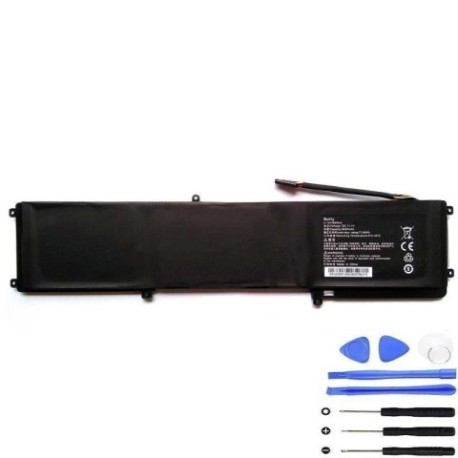
Introduction
Keep your Razer Blade performing at its best with our authorised replacement battery. This 71.04Wh battery is specifically designed for various Razer Blade 14 and Pro models from 2013-2015.
Common signs you need a replacement
| Symptoms | Causes | Verification | Recommendation |
|---|---|---|---|
| Battery won’t hold charge | Ageing cells | Check power settings | Replace battery |
| Laptop shuts down unexpectedly | Voltage drops | Monitor battery health | Immediate replacement |
| Battery swelling | Internal damage | Visual inspection | Stop using immediately |
| Reduced performance | Power limitations | Benchmark tests | Upgrade battery |
How to check compatibility
Check your laptop’s model number on the bottom case or in system information. Compare with our compatibility tables above. For exact matching, use your part number from the battery compartment.
When to replace
Replace when battery health drops below 70%, swelling occurs, or runtime falls below 2 hours under normal use. Most Razer batteries need replacement after 2-3 years of regular use.
Installation guide (overview)
Power off and unplug your laptop. Remove the bottom case screws. Disconnect the old battery connector. Install the new battery and reassemble. Always use proper tools and follow safety guidelines.
Usage & care tips
Avoid extreme temperatures (ideal range 15-25°C). Don’t leave plugged in constantly. Calibrate monthly by fully discharging then charging. Store at 40-60% charge if not using for extended periods.
Safety & recycling in AU/NZ
Never puncture or disassemble batteries. Dispose at authorised recycling centres. In Australia, use Batteryback or council e-waste services. In New Zealand, use accredited e-waste recyclers.
FAQ
How long does delivery take in Australia?
Most capital cities 2-3 business days, regional areas 3-5 business days.
Is this battery genuine?
This is a high-quality replacement battery meeting original specifications.
What’s the warranty period?
12 months warranty from date of purchase.
Can I install this myself?
Yes, with basic technical skills and proper tools. Follow our installation guide.
How do I recycle my old battery?
Take to any authorised battery recycling centre – free service across AU/NZ.
What tools do I need for installation?
Phillips screwdriver, plastic spudger, and anti-static precautions recommended.
Will this improve my gaming performance?
Yes, stable power delivery ensures consistent performance during intensive gaming sessions.