Battery models & part numbers
| Reference / P/N |
|---|
| Sony-VGP-BPS30-45Wh |
Compatible laptop models
| Model |
|---|
| Sony SVT11s |
| Sony SVT13s |
| Sony Vaio SVT11s |
| Sony Vaio SVT13s |
| Sony Vaio T11s |
| Sony Vaio T13s |
Introduction
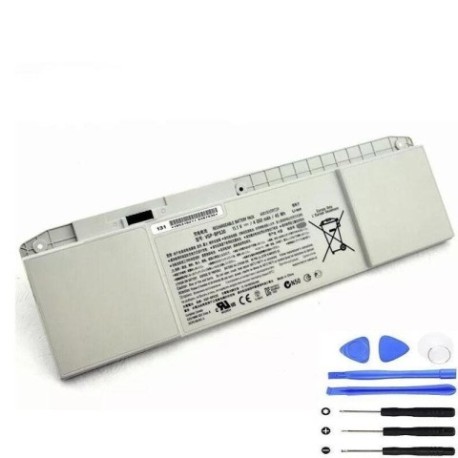
Keep your Sony laptop running at peak performance with our genuine replacement battery. The Sony VGP-BPS30-45Wh battery is specifically designed for compatible Sony Vaio models available in the Australian and New Zealand markets.
Common signs you need a replacement
| Symptoms | Causes | Verification | Recommendation |
|---|---|---|---|
| Short battery life | Ageing cells, frequent charging cycles | Check power settings, monitor usage time | Consider replacement if under 2 hours |
| Laptop won’t hold charge | Battery degradation, faulty circuitry | Test with power adapter disconnected | Replace if immediate shutdown occurs |
| Battery swelling | Internal damage, overheating | Visual inspection, uneven surface | Replace immediately for safety |
| Overheating during use | Inefficient power conversion | Monitor temperature, check vents | Replace if consistently over 60°C |
| Charging indicator issues | Battery communication failure | Check LED behaviour, system reports | Replace if charging status unreliable |
How to check compatibility
Verify your laptop model matches our compatibility list above. Check your current battery’s part number (usually found on the battery label) or consult your laptop’s documentation. All compatible models are Sony Vaio ultrabooks with 11.6-inch or 13.3-inch displays.
When to replace
Replace your battery when runtime drops below 2 hours, you notice physical swelling, or the battery no longer holds a charge. Most laptop batteries last 2-3 years with regular use in Australian and New Zealand conditions.
Installation guide (overview)
Power off your laptop and disconnect the AC adapter. Slide the battery release latch and carefully remove the old battery. Align the new battery with the connectors and slide it into place until it clicks. Power on and allow the system to recognise the new battery.
Usage & care tips
Avoid extreme temperatures – store between 15-25°C. Calibrate your battery monthly by fully charging then discharging. Use authorised chargers only. Avoid leaving your laptop plugged in constantly once fully charged.
Safety & recycling in AU/NZ
Never attempt to open or modify the battery. Dispose of old batteries at authorised recycling centres – most electronics retailers in Australia and New Zealand offer free battery recycling services. Do not dispose of in household waste.
FAQ
How long does shipping take in Australia?
Most orders are delivered within 3-7 business days to metropolitan areas.
Is this battery genuine Sony?
Yes, we supply authentic Sony batteries with full manufacturer warranty.
What’s the warranty period?
All our batteries come with a 12-month warranty covering manufacturing defects.
Can I use this battery in New Zealand?
Yes, this battery is compatible with power systems in both Australia and New Zealand.
How do I check my current battery’s health?
Use your laptop’s power management software or check System Information in your operating system.
What if my model isn’t listed?
Contact our support team with your laptop’s exact model number for compatibility verification.
Do you offer installation services?
While we don’t provide installation, our batteries come with clear instructions for easy self-installation.