Battery models & part numbers
| Reference / P/N |
|---|
| Sony-VGP-BPS33-43Wh |
Compatible laptop models
| Model |
|---|
| Sony Vaio SVT14 |
| Sony Vaio SVT14112CXS |
| Sony Vaio SVT14113CXS |
| Sony Vaio SVT14115CXS |
| Sony Vaio SVT14117CXS |
| Sony Vaio SVT141190X |
| Sony Vaio SVT1411BPXS |
| Sony Vaio SVT14122CXS |
| Sony Vaio SVT14122PXS |
| Sony Vaio SVT14124CXS |
| Sony Vaio SVT14125CXS |
| Sony Vaio SVT14126CXS |
| Sony Vaio SVT14127CXS |
| Sony Vaio SVT141290X |
| Sony Vaio SVT1412ACXS |
| Sony Vaio SVT15112CXS |
| Sony Vaio SVT15114CXS |
| Sony Vaio SVT15114CYS |
| Sony Vaio SVT15115CXS |
| Sony Vaio SVT15117CXS |
| Sony Vaio SVT151190X |
| Sony Vaio SVT1511ACXS |
| Sony Vaio SVT1511C5E |
| Sony Vaio SVT1511M1E |
| Sony Vaio SVT1511M1R |
| Sony Vaio T15 Touch |
Introduction
If you’re experiencing battery issues with your Sony Vaio laptop, this comprehensive guide will help you identify when it’s time for a replacement and how to choose the right battery for your specific model.
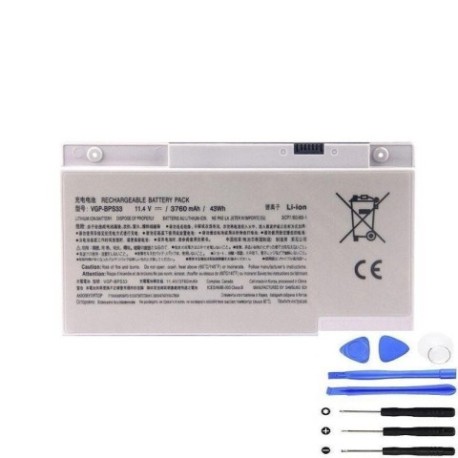
Common signs you need a replacement
| Symptoms | Causes | Verification | Recommendation |
|---|---|---|---|
| Battery won’t hold charge | Ageing cells, wear and tear | Check power settings, run diagnostics | Consider replacement if under 50% capacity |
| Laptop shuts down unexpectedly | Failing battery unable to deliver stable power | Monitor battery percentage during use | Replace immediately to prevent data loss |
| Battery swelling or bulging | Chemical degradation, internal pressure | Visual inspection, feel for uneven surfaces | Replace urgently – safety hazard |
| Overheating during charging | Inefficient charging circuits | Check temperature, monitor charging time | Replace to prevent damage to laptop |
| Battery not recognised by system | Communication circuit failure | Check device manager, BIOS settings | Replace battery to restore functionality |
How to check compatibility
Always verify your laptop model matches exactly with our compatibility list. Check the label on the bottom of your laptop or in system information. The Sony VGP-BPS33-43Wh is specifically designed for the Vaio models listed above.
When to replace
Replace your battery when it holds less than 50% of its original capacity, shows physical damage, or causes system instability. Most laptop batteries last 2-4 years with regular use.
Installation guide (overview)
1. Power off laptop and disconnect charger
2. Remove the battery compartment cover
3. Disconnect old battery connector
4. Insert new battery and secure
5. Replace cover and charge fully before first use
Usage & care tips
– Avoid complete discharges; charge between 20-80% for optimal lifespan
– Store in cool, dry conditions (15-25°C)
– Use authorised chargers only
– Calibrate battery monthly by full charge/discharge cycle
Safety & recycling in AU/NZ
Never dispose of batteries in household waste. In Australia, use Batteryback or council e-waste services. In New Zealand, utilise accredited recycling centres. Damaged batteries should be handled by professionals due to fire risk.
FAQ
How long does delivery take in Australia?
Typically 3-7 business days depending on your location.
Is this battery genuine Sony?
This is a high-quality replacement battery compatible with Sony Vaio models.
What warranty is offered?
Most replacement batteries come with 12 months warranty.
Can I install it myself?
Yes, most Vaio battery replacements are user-installable with basic tools.
How do I recycle my old battery?
Check with your local council for e-waste recycling options.
What if my model isn’t listed?
Contact customer support with your exact model number for verification.
Is overnight charging safe?
Modern laptops have protection circuits, but avoid regular overnight charging.