Battery models & part numbers
| Reference / P/N |
|---|
| AA-PLYN4AN |
| BA43-00340A |
Compatible laptop models
| Model |
|---|
| Samsung 5 550 Chromebook XE550C22 |
| Samsung 5 550C Chromebook |
Introduction
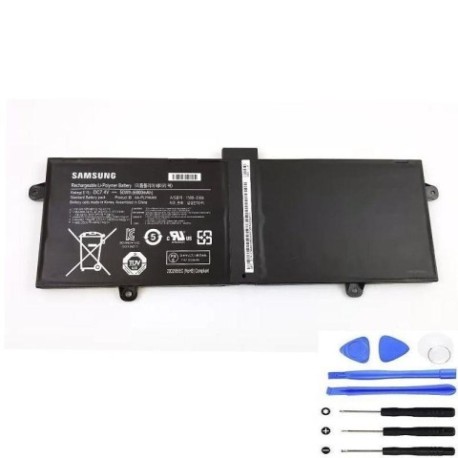
Keep your Samsung Chromebook running smoothly with our genuine replacement battery. This 50Wh power solution is designed specifically for your device’s requirements.
Common signs you need a replacement
| Symptoms | Causes | Verification | Recommendation |
|---|---|---|---|
| Battery drains quickly | Ageing cells | Check battery health in settings | Consider replacement |
| Laptop shuts down unexpectedly | Voltage instability | Monitor battery percentage drops | Replace immediately |
| Battery won’t hold charge | Cell degradation | Test with charger disconnected | New battery needed |
| Swelling or bulging | Internal damage | Visual inspection | Replace urgently for safety |
How to check compatibility
Verify your laptop model matches our compatibility list above. Check your current battery’s part number (usually found on the battery itself) against our reference numbers.
When to replace
Replace your battery when it holds less than 50% of its original capacity, shows physical damage, or causes performance issues. Most batteries need replacement after 2-3 years of regular use.
Installation guide (overview)
Power off your Chromebook and disconnect the charger. Remove the bottom panel, disconnect the old battery, and install the new one following the connector orientation. Reassemble and charge fully before first use.
Usage & care tips
Avoid extreme temperatures (ideal range 15-25°C). Don’t leave your laptop plugged in constantly. Calibrate your battery monthly by draining to 10% then charging to 100%.
Safety & recycling in AU/NZ
Never attempt to open or modify the battery. Dispose of old batteries at authorised recycling centres. In Australia, use Batteryback or council e-waste services. In New Zealand, use accredited e-waste recyclers.
FAQ
How long does shipping take within Australia?
Most orders arrive within 3-5 business days to metro areas.
Is this battery genuine Samsung?
Yes, this is an authentic Samsung battery with full manufacturer specifications.
What’s the warranty period?
This battery comes with a 12-month replacement warranty.
Will this work with my Samsung 5 550 Chromebook?
Yes, it’s specifically compatible with both 5 550 and 5 550C Chromebook models.
How do I check my current battery health?
Go to Settings > Device > Power in your Chromebook to view battery status and health.
Can I install this myself?
Yes, with basic technical skills. Follow our installation guide or seek professional help if unsure.
What if my model isn’t listed?
Contact our support team with your laptop’s exact model number for compatibility verification.